
Modern branding is powered by technology, and the right platforms can help teams design faster, stay consistent, and manage their brand with confidence.
Branding Tools: Key Findings
- Design.com and BrandCrowd are AI-powered branding platforms that help entrepreneurs and SMBs generate logos and expand them into full brand systems.
- Canva Pro and Adobe Express enable teams to create on-brand content at scale with intuitive design tools, collaboration features, and built-in brand kits.
- Brandwatch, Frontify, and Mention provide real-time insights and governance tools that help larger teams manage brand consistency, monitor sentiment, and respond across channels.
Branding tools for modern brand building
Combining AI-enhanced branding tools, robust governance platforms, and real-time monitoring gives marketing teams and agencies a truly strategic asset.
These platforms take you from fragmented brand management to a more unified, strategic approach.Connecting design, governance, and monitoring allows your team to maintain consistency, protect brand integrity, and respond quickly to shifts in customer sentiment or market dynamics.
The business impact is clear. Consistent brand presentation across channels can increase revenue by up to 10-20%, highlighting how effective brand management directly supports growth and long-term brand trust.
Yet while 85% of organizations have brand guidelines, 70% don’t enforce them consistently, as per Marq’s findings.
1. Design.com: Best for High-Quality, Brand-Ready Design
Design.com is a leading AI-powered design platform built to help entrepreneurs, startups, and small businesses create professional branding without hiring a designer or using complex software.
The platform offers 50+ design tools, including one of the most advanced AI logo generators available.
After entering a business name (and optionally a short prompt), Design.com generates thousands of logo concepts in seconds, delivering noticeably more variety and speed than most logo makers.
Once you select a logo, you can refine it using an AI-guided wizard or switch to manual editing. The editor is intuitive and includes 500+ exclusive fonts, helping designs feel more custom rather than template-driven.
Users can also tweak prompts, keywords, color palettes, and style filters to generate more closely matched variations.
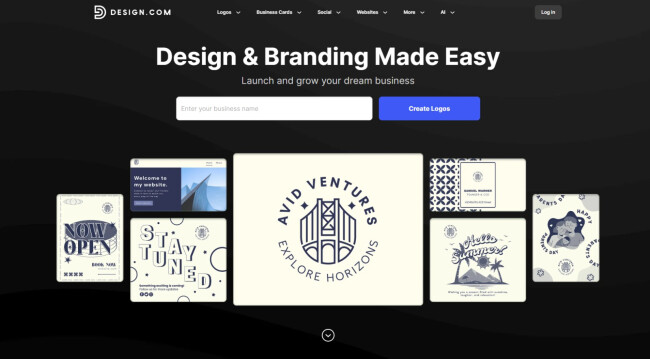
What truly sets Design.com apart is its ability to extend a logo into a complete brand system. You can instantly create matching business cards, social media graphics, presentations, email signatures, digital business cards, and even websites.
| Pros | Cons |
|
|
Pricing
- Free options available for logos, websites, business cards, and more
- Flexible, plan-based pricing that varies based on your selection
What Users Say
Trustpilot reviews consistently highlight Design.com’s logo quality, intuitive interface, and fast turnaround, with users noting how easy it is to explore multiple logo options, make quick adjustments, and adapt designs for both digital and print use.
Many also appreciate the broad export options and responsive customer support, especially when launching without prior design experience.
Who’s It For
Design.com is ideal for entrepreneurs, startups, and small businesses that need a fast, affordable way to create professional branding, especially founders and lean teams who want to generate logos and brand assets without hiring a designer.
Other Notable Features
- Access to 1M+ customizable templates for logos, branding assets, and marketing materials.
- Vector and high-resolution downloads suitable for both digital and print use.
- Commercial-safe licensing, including extended and exclusive license options.
- Flexible asset exports that support scalable branding across multiple channels.
Get started with Design.com today.
2. Brandcrowd: Best for AI-Powered End-to-End Branding
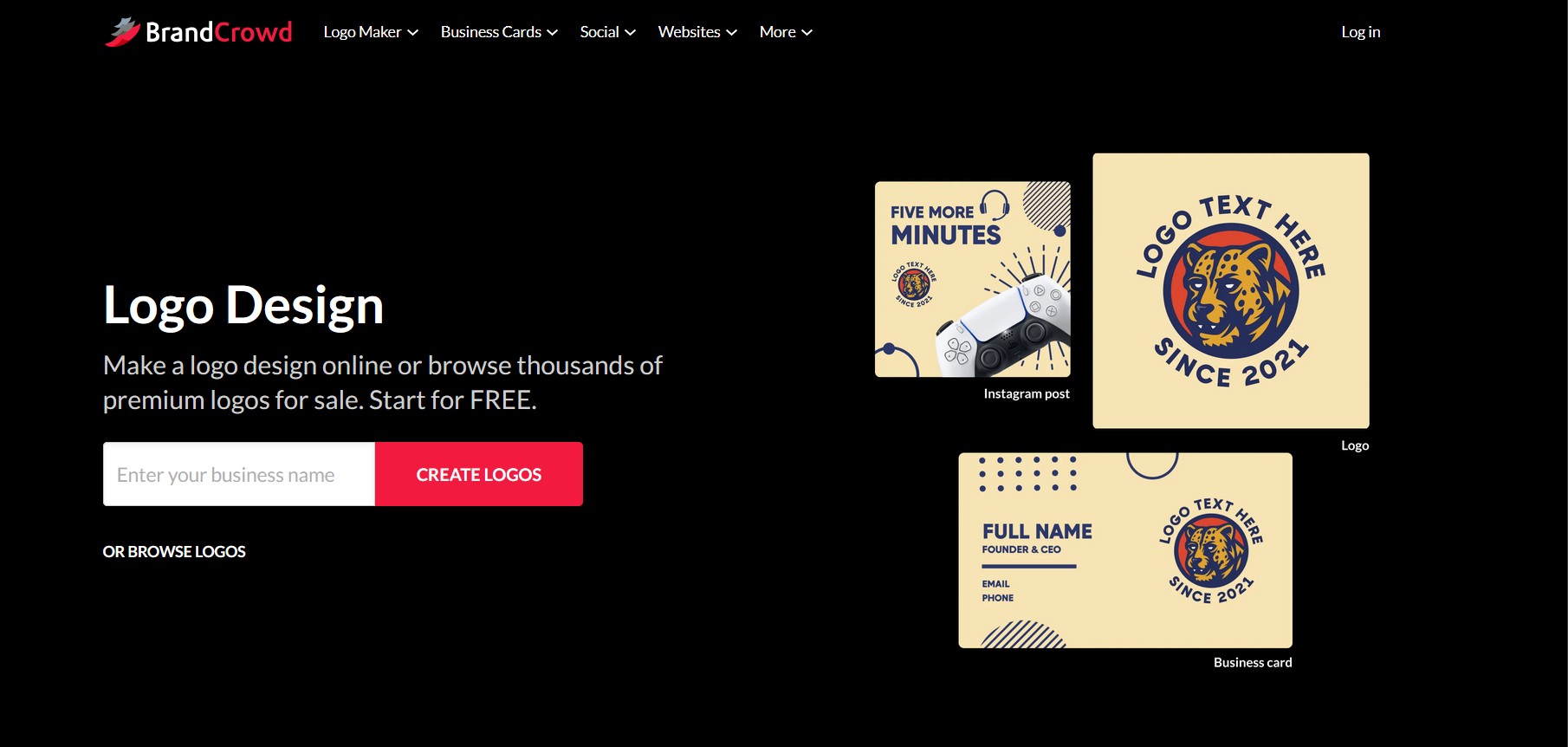
BrandCrowd is an AI-powered branding platform that helps you create professional, commercially safe brand identities, no design experience required.
It also offers a generous free package, allowing you to explore logo concepts and start building your brand before committing to paid downloads or advanced features.
Using advanced, custom-trained AI, it generates high-quality, original logos tailored to your business name and industry, delivering polished, brand-ready results from the start.
After entering your business name, the platform instantly produces a wide range of logo concepts, which can be refined using AI-assisted editing. Simply describe the changes, and the AI applies them.
Once your logo is ready, BrandCrowd extends it into a complete brand system, generating matching assets like business cards, social media graphics, presentations, and even websites, all aligned with your visual identity.
A suite of over 50 AI-powered design tools that automatically apply your brand’s colors and style means you can instantly create consistent, fully branded assets without switching platforms or starting from scratch.
Pricing
- Free logo options and access to basic tools
- Starter: $5 per month (billed annually)
- Value: $6 per month (billed annually)
- Premium: $7 per month (billed annually)
What Users Say
BrandCrowd holds solid user ratings across review platforms, with many users highlighting the quality of its AI-generated logos, ease of use, and the ability to quickly create a complete brand identity.
Many note how fast it is to go from idea to finished design and praise the flexibility of refining designs with simple inputs rather than complex design workflows.
Who’s It For
BrandCrowd is ideal for entrepreneurs, startups, and small to mid-sized businesses that want to launch or scale their brand quickly using AI. It’s especially great for those who need professional, ready-to-use branding without hiring a designer or juggling multiple tools.
Other Notable Features
- AI-powered logo generation that creates original, brand-ready designs tailored to your business from over 400K logo designs
- AI-assisted editing via simple prompts for fast, intuitive customization
- End-to-end branding tools covering websites, social media, print assets, and more
- One of the largest AI-powered design libraries with 1M+ assets across industries
- Commercially safe designs with options for exclusive logo use and extended licensing
- 50+ AI-driven design tools for creating branded marketing materials across channels
Get started with BrandCrowd for free.
3. Looka: Best for Quickly Generating Logos and Brand Kits

Looka is an AI-powered branding platform designed to help businesses craft logos and build cohesive brand identities, all with no design skills required.
Users begin by inputting their company name, industry, preferred styles, colors, and icons.
Looka’s AI then generates hundreds of logo options. You can fine-tune fonts, layouts, spacing, and colors using a user-friendly editor, complete with mockups on business cards, apparel, and more.
Beyond logos, Looka offers a Brand Kit featuring over 300 customizable marketing materials: business cards, letterheads, invoice templates, email signatures, and social media assets.
The top-tier plan even includes a basic AI-generated website based on your branding.
With generative AI tools now proven to accelerate productivity by over 50% and reduce brand asset creation time by up to 40%, Looka offers a fast, ROI-driven solution for businesses aiming to launch or refresh their brand without juggling multiple platforms.
| Pros | Cons |
|
|
Pricing
- Basic Logo Package: $20 one-time purchase
- Premium Logo Package: $65 one-time purchase
- Brand Kit Subscription: $96/yr
- Brand Kit Web Subscription: $129/yr
What Users Say
Users tend to praise how quickly the AI platform generates professional-looking logos and brand assets, even for people with no design experience.
The platform’s ease of use is another highlight, wth a wide variety of logo options, and helpful customer support. Some, however, note that customization and pricing packages can occasionally feel limiting or confusing.
Who’s It For
Looka is best suited for entrepreneurs, startups, and small businesses that need a fast, affordable way to generate a professional logo and basic brand kit without hiring a designer.
Other Notable Features
- AI logo generator that creates multiple logo variations in seconds based on your style, color, and icon preferences.
- 300+ branded templates for marketing assets like social posts, email signatures, invoices, and presentations.
- Social media kit with pre-sized profile images, covers, and posts for major platforms.
- Website builder and domain tools that extend branding into a simple online presence.
- High-resolution logo file formats (SVG, PNG, EPS, PDF) suitable for both digital and print use.
Get started with Luka for free.

4. Canva Pro: Best for Creating On-Brand Marketing Visuals

Canva Pro is a branding tool that helps businesses create stunning visuals without needing a full-blown design team.
From social media graphics to client presentations, it offers a massive library of templates, images, fonts, and even AI-powered features like Magic Resize and background removal.
And with research showing it only takes 10 seconds for people to form a first impression of a logo, having the ability to produce polished, consistent designs quickly is a strategic advantage.
You can also set up multiple brand kits to keep your logos, fonts, and colors consistent across all your designs, which is perfect for businesses that want to maintain a cohesive look without the hassle.
With 1TB of cloud storage and team sharing features, it’s built to keep your creative projects organized and accessible.
If you're a small to mid-sized business juggling brand assets and campaigns, Canva Pro saves time and keeps everything on-brand.
For larger organizations with complex workflows or compliance requirements, Canva Teams or Enterprise may be a better fit, but for everyone else, Canva Pro hits the sweet spot between ease of use and professional output.
| Pros | Cons |
|
|
Pricing
- $15/mo per person
What Users Say
User sentiment toward Canva Pro is overwhelmingly positive. Reviewers consistently praise its intuitive drag-and-drop interface, huge template library, and ability to help non-designers create professional visuals quickly.
Who’s It For
Canva Pro is ideal for marketers, content creators, and small to mid-sized teams that need an easy way to produce consistent, on-brand marketing visuals without advanced design skills.
Other Notable Features
- Brand Kit tools for storing logos, colors, and fonts to ensure consistent branding across all designs.
- 100M+ stock assets, including photos, videos, icons, and illustrations.
- Magic Resize to instantly adapt designs for different platforms and formats.
- Real-time collaboration for teams working on shared projects and campaigns.
- AI-powered tools like Magic Design and background remover for faster content creation.
5. Adobe Express: Best for Designing Branded Content

Adobe Express is your go-to creative workshop in the cloud, a place where anyone on your team can craft eye-catching social graphics, videos, flyers, PDFs, ads, and more, without needing to be a design pro.
With drag-and-drop simplicity, hundreds of templates, and smart “Quick Actions” (like automatic background removal, easy resizing, and AI-generated images/text via Adobe Firefly), it speeds up your workflow drastically.
It even supports real-time collaboration, brand kit sharing, and seamless integration with Adobe’s other tools like Creative Cloud and PDFs.
| Pros | Cons |
|
|
Pricing
- Free
- Premium: $99.99/year
- Teams: 49.99/seat per year
- Enterprise: Contact Sales
What Users Say
Adobe Express is frequently described as a fast, beginner-friendly way to produce polished marketing visuals with less learning curve.
Users appreciate its polished templates and seamless integration with the broader Adobe ecosystem, while noting that it offers fewer advanced customization options than tools like Photoshop or Illustrator.
Who’s It For
For businesses, Adobe Express shines in two main scenarios:
- Small to mid‑sized teams benefiting from the “Teams” plan: includes premium tools, brand kits, admin console with 1 TB cloud storage per user, 24/7 support, and centralized license/asset management.
- Enterprise organizations needing enhanced governance, compliance, custom Firefly models, integrations with Adobe Experience Manager and Workfront, asset encryption, SSO, audit reporting, and strict workflow controls.
Other Notable Features
- Brand kits to store logos, fonts, and color palettes for consistent content creation.
- Thousands of customizable templates for social media posts, flyers, presentations, and videos.
- AI-powered tools like text-to-image generation and background removal.
- Quick actions for tasks like resizing images, trimming videos, and converting file formats.
- Adobe ecosystem integration, allowing easy use of assets from Creative Cloud libraries and Adobe Stock.
Get started with Adobe Express’s 14-day free trial.
6. Frontify: Best for Managing Brand Guidelines, Assets, and Templates

Frontify is a brand management platform that helps businesses keep their branding consistent, accessible, and organized across teams.
Instead of digging through random folders or pinging the design team for the latest assets, teams can access a centralized, cloud-based hub where everything’s up-to-date and ready to go.
It’s especially handy for marketing, design, and product teams who need to stay aligned, no matter how fast things move.
Frontify is best suited for medium to large businesses, especially those with multiple teams, markets, or partner networks that rely on keeping branding airtight.
Agencies managing multiple client brands will also appreciate how organized and scalable it is.
| Pros | Cons |
|
|
Pricing
- Enquire (starting from about $79/month)
What Users Say
Reviews of Frontify often highlight its ability to centralize brand guidelines, digital assets, and collaboration in one place, making it easier for large teams to maintain brand consistency.
Uusers praise the platform’s clean interface, customizable brand portals, and strong support team, while some note that the platform can require onboarding time to fully configure for complex organizations.
Who’s It For
Frontify is best suited for mid-market to enterprise companies, agencies, and global marketing teams that need a centralized platform to manage brand guidelines, digital assets, and collaboration across distributed teams and multiple markets.
Other Notable Features
- Digital asset management with tagging, version control, and permission settings.
- Interactive brand guidelines for documenting logos, typography, colors, and messaging.
- On-brand templates that help teams create compliant marketing materials.
- Collaboration and approval workflows for feedback and project coordination.
- Integrations with tools like Figma, Slack, and Adobe Creative Cloud.
Request a demo of Frontify today.
7. Bynder: Best for Enterprise-Level Digital Asset Management

Bynder gives businesses one central place to store, manage, and share all their digital assets: logos, images, videos, brand guidelines, templates, you name it.
So instead of digging through email chains or 47 different folders to find the “final_final_v2” version of a file, your team can grab the right asset instantly.
It’s especially helpful if you're juggling multiple campaigns, regions, or teams, because it keeps everything aligned, on-brand, and flowing smoothly.
| Pros | Cons |
|
|
Pricing
- Enquire (starting from about $450 per month)
What Users Say
User feedback for Bynder is generally very positive, with reviewers pointing out its intuitive interface and ability to centralize brand assets for large marketing teams.
Users often praise its powerful asset organization, collaboration features, and integrations, but some note that the platform can be costly or require onboarding time to configure for complex teams.
Who’s It For
It’s a great fit for medium to large businesses, especially those in marketing-heavy industries like retail, media, tech, or creative agencies. Basically, if your team creates a lot of content and needs to keep things consistent across the board, Bynder can be a total game-changer.
Small teams might find it a bit more tool than they need, but for companies looking to scale with brand control intact, it’s a smart investment.
Other Notable Features
- Centralized digital asset management for organizing and distributing brand assets.
- AI-powered search and auto-tagging to quickly locate images, videos, and files.
- Brand templates and creative workflows to streamline marketing production.
- Granular permissions and rights management for secure asset sharing.
- Integrations with platforms like Adobe Creative Cloud, Microsoft 365, and Salesforce.
8. Brandwatch: Best for Enterprise Social Listening

Brandwatch is a social listening tool that gives businesses the power to eavesdrop on the entire internet (in the most ethical way possible). It pulls in real-time data from social media, blogs, forums, news sites — you name it — and translates all that chatter into insights.
Whether you're tracking brand sentiment, spotting trends, measuring campaign performance, or keeping tabs on competitors, Brandwatch helps you cut through the noise.
One standout feature? Its AI-driven Consumer Research platform, which doesn’t just count mentions but actually analyzes what people are saying and feeling.
Smaller businesses might find it a bit overpowered (and overpriced) unless they’re managing multiple brands or facing rapid growth. But for the right teams, it’s a goldmine of insight — perfect for data-backed decisions.
On the other hand, affordable and user-friendly tools, often enhanced with AI, are making brand reputation management accessible to smaller teams as well, allowing them to do more with less.
As Manos Perakakis, Head of Product and Co-Founder at Mentionlytics, points out, these tools empower organizations of all sizes to stay on top of their brand image without the need for large budgets or dedicated teams.
| Pros | Cons |
|
|
Pricing
- Enquire (from about $800 per month)
What Users Say
Brandwatch is often praised for its powerful social listening capabilities, customizable dashboards, and deep analytics for tracking brand sentiment and emerging trends.
Users highlight its ability to analyze large volumes of social and web data, but some note that it can be complex to learn and relatively expensive for smaller teams.
Who’s It For
Brandwatch is best suited for enterprise brands, marketing teams, and agencies that need advanced social listening, consumer insights, and large-scale brand monitoring across social media and online channels.
Think global brands, PR agencies, marketing departments, or any company where reputation, customer sentiment, and trend forecasting are mission-critical.
Other Notable Features
- AI-powered social listening across billions of online conversations.
- Custom dashboards and reports for marketing and PR insights.
- Competitor benchmarking to compare brand performance.
- Advanced Boolean search for precise topic and sentiment analysis.
- Broad coverage across social media, forums, blogs, and news sites.
Request a Brandwatch demo today.
9. Meltwater: Best for Comprehensive Media Monitoring

Meltwater feels like the kind of platform you’d turn to when you’re drowning in media noise and just want the signal.
It’s an all-in-one media intelligence solution that lets businesses track brand mentions, monitor competitors, analyze sentiment, and manage their PR across news, social media, podcasts, and even broadcast.
The dashboard pulls data from over a million sources, giving comms teams and marketers real-time insights into how their brand is being talked about — and by whom.
One particularly handy feature is the influencer identification tool, which helps you go beyond “vibes” and actually find people who move the needle in your industry. Plus, it lets you track campaign impact and media coverage in a centralized, customizable hub.
| Pros | Cons |
|
|
Pricing
- Enquire
What Users Say
Many PR and marketing professionals praise Metlwater for its ability to monitor media coverage and social conversations in one place. Its powerful media monitoring, customizable reports, and broad data coverage receive mention, though some reviewers say the platform can be expensive.
Who’s It For
Meltwater seems best suited for medium to large enterprises, especially those with active PR and communication teams. Global brands, agencies managing multiple clients, and companies that really need to understand their media perception in detail.
Startups or smaller teams might find it a bit overpowered for their day-to-day needs, but if you're in the business of shaping public narratives or constantly managing reputation, it's a strong contender.
Other Notable Features
- Global media monitoring across news, social, blogs, podcasts, TV, and radio.
- Real-time alerts for spikes in brand mentions or trends.
- AI-powered sentiment and trend analysis to track public perception.
- Journalist database and media outreach tools for PR teams.
- Custom dashboards and automated reporting for campaign tracking.
Request your Metlwater demo today.
10. Mention: Best for Real-Time Brand Mention Tracking

Mention is a social listening and media monitoring platform that scans over a billion sources, from social media and news to blogs, forums, and even radio/TV (via add-ons), all in real time.
You can track brand names, competitors, hashtags, and more, with smart alert filters (Boolean and language-based). It also layers in sentiment and emotion analysis, influence scoring, and share-of-voice metrics.
Plus, there are analytics, dashboards, and collaboration tools tailored to PR, customer support, marketing, and crisis response teams. It’s also scalable: agencies and enterprises can upgrade to unlimited seats, advanced alerts, historical data, and full API access.
Though enterprise-grade platforms may offer deeper analytics or niche integrations, Mention’s blend of features and transparency makes it a strong pick unless your needs are ultra-specialized.
| Pros | Cons |
|
|
Pricing
- From $599
What Users Say
Mention's reviewers appreciate its ease of setup, real-time alerts, and ability to track brand mentions across social media, news sites, blogs, and forums.
They also praise its intuitive interface and effective monitoring capabilities, though some note that configuring searches and alerts can take time to optimize.
Who’s It For
Mention suits small to mid-sized marketing teams, agencies, and PR or customer-support divisions that need a single hub for brand monitoring and social engagement.
If you're managing reputation, keeping an eye on trends, responding to customer chatter, or benchmarking against competitors, it’s got you covered.
Other Notable Features
- Real-time alerts for brand, competitor, or keyword mentions across the web.
- Sentiment and influence analysis to gauge tone and identify key voices in conversations.
- Custom analytics dashboards and reports to track campaign impact and engagement.
- Keyword and topic monitoring with flexible query building.
- Coverage across millions of sources, including social media, blogs, forums, and news sites.
Try Mention with a free trial.
Choosing a Branding Tool That Fits Your Business Needs
Use the comparison table below to evaluate each branding tool based on key criteria such as features, scalability, ease of use, and ideal use cases.
Tool | Best For | Logo & Design | Brand Management | Analytics | Pricing |
| Design.com | Startups & small businesses needing fast, brand-ready design | ✅ | ❌ | ❌ | Custom |
| BrandCrowd | AI-powered logo creation and instant end-to-end brand building | ✅ | ❌ | ❌ | Free tier |
Looka | Solo founders needing quick brand identity | ✅ | ❌ | ❌ | $20 one-time |
Canva Pro | SMBs needing all-in-one design + templates | ✅ | ✅ | ❌ | $15/month (1 user) |
Adobe Express | Visual agencies seeking brand templates | ✅ | ✅ | ❌ | Free tier |
Frontify | Mid-size teams building consistent brand kits | ✅ | ✅ | ✅ | Custom |
Bynder | Enterprises managing complex brand assets | ✅ | ✅ | ✅ | Custom |
Brandwatch | Brands tracking audience & reputation | ❌ | ✅ | ✅ | Custom |
Meltwater | PR pros and enterprises managing media & brand mentions | ❌ | ✅ | ✅ | Custom |
Mention | Marketers tracking online brand buzz | ❌ | ✅ | ✅ | From $49/month |
Before making a final decision, consider consulting brand experts who can assess your needs and recommend tools aligned with your goals.
Our team ranks agencies worldwide to help you find a qualified partner to implement the latest AI solutions. Visit our Agency Directory for the Top Branding Agencies, as well as:
- Top Brand Strategy Agencies
- Top Brand Positioning Firms
- Top B2B Branding Agencies
- Top Corporate Branding Agencies
- Top Branding Agencies in Toronto
Branding Tools FAQs
1. What are branding tools used for?
Branding tools help businesses design visual identities, manage brand assets, maintain brand guidelines, and monitor how their brand is perceived across digital channels.
2. What features should you look for in a branding tool?
Key features include logo and design capabilities, brand kit management, collaboration tools, asset libraries, analytics, and integrations with marketing platforms.
3. Are branding tools only useful for large companies?
No. Many branding tools are designed for startups and small businesses that need affordable ways to create professional logos, brand assets, and marketing visuals.
4. Can branding tools help maintain brand consistency?
Yes, many platforms include brand kits, templates, and governance tools that ensure teams follow approved colors, fonts, and messaging across campaigns.
5. Do branding tools include social listening or reputation monitoring?
Some advanced branding platforms include social listening and sentiment analysis features that track brand mentions and public perception online.
6. How much do branding tools typically cost?
Branding tools range from free or low-cost design platforms to enterprise solutions with custom pricing for brand management, analytics, and digital asset management.


-preview.jpg)