
I’ve reviewed the top 10 AI reputation management tools that are getting a lot of attention right now.
I’ll share my experience with each one: what they do well, where they fall short, and how they can help you manage your online image more effectively.
Top 10 AI Reputation Management Tools: Key Findings
- Brandi helps protect your brand in AI-generated answers by showing where competitors outrank or outframe you across tools like ChatGPT and Perplexity.
- Reviewly and Birdeye are strongest for review generation and response automation, making them practical picks for businesses that need more positive reviews and faster follow-up.
- Brand24, Talkwalker, and Brandwatch are best for real-time monitoring, helping teams catch negative mentions, sentiment shifts, and reputation risks before they escalate.
Top 10 AI Reputation Management Tools for 2026
AI reputation management tools help you scan large volumes of online content and quickly identify positive and negative mentions.
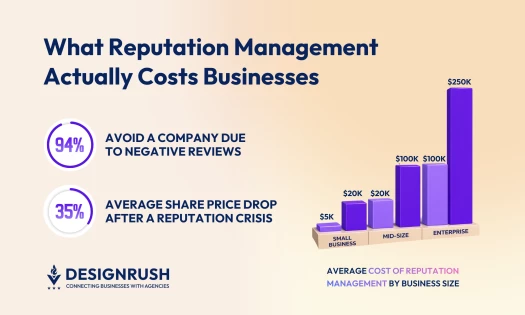
That visibility directly influences customer decisions. BrightLocal’s 2026 Local Consumer Review Survey found that 94% of consumers avoid businesses with poor reviews, often before they ever visit a website.
Ernesto Wong, CEO of IMomentum, explained that AI has transformed reputation monitoring into a 24/7 “early‑warning radar.”
He said that rather than manually skimming thousands of raw mentions, "today’s LLM pipelines cluster themes, pinpoint the root cause, and push a short action brief to your Slack before a hashtag starts trending."
This rapid insight delivery, he added, allows agencies to shift from constant firefighting to proactive narrative shaping — “and clients notice the difference.”
That’s why I tested the tools below in depth to see how they help you monitor, manage, and improve how your brand is perceived online.
1. Brandi AI: Best for Diagnosing and Improving AI Brand Perception
If you're a marketing, SEO, or content leader, check out what Brandi can do for your business.
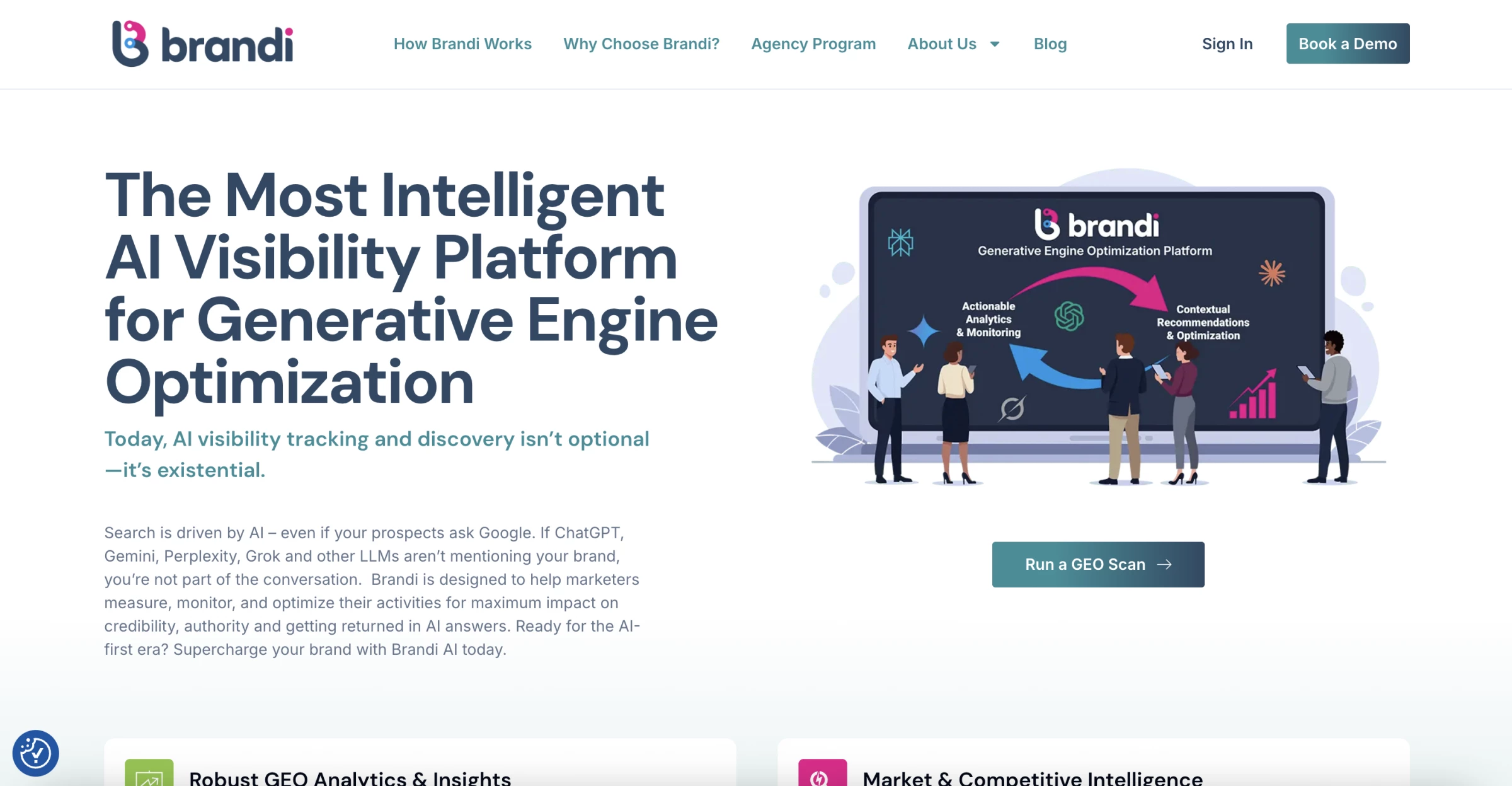
I used Brandi to answer a very specific question: when someone asks AI tools about our category, what do they actually say about us, and where are we missing from the conversation.
What I got back was a clear breakdown of real prompts and whether the brand appears, gets ignored, or gets outperformed by competitors.
Instead of guessing why something is not working, you can see which queries drive visibility, which competitors are taking that space, and what kind of messaging is getting rewarded.
For online reputation management services, this matters because the tool shows how exactly your brand is positioned inside the answer.
If competitors are consistently described as the go-to option while your brand is missing or loosely referenced, that is a direct signal of how buyers are being influenced during research.
The platform also tracks visibility across multiple AI systems and regions, which helps identify inconsistencies in how the brand is presented in different markets.
This is useful if you’re managing international positioning, where wording and intent vary by language.
The limitation is that Brandi does not execute changes. It highlights where your visibility and positioning break down and provides guidance on how to fix it, but the actual work still depends on your content and SEO teams.
If you are already investing in content and starting to notice that competitors show up more often in AI answers, this is one of the few tools that explains why and gives you a clear direction on what to improve.
| Pros | Cons |
|
|
Pricing
- Contact Brandi for details on pricing plans.
Book a demo to check out Brandi in action.
What Users Say
Early feedback points to fast, measurable impact. Teams report noticeable improvements in how often their brand appears in AI-generated answers, along with better positioning against competitors after updating content based on Brandi’s recommendations.
Support is another strong point. Teams mention hands-on onboarding and guidance, which helps them interpret insights and apply changes more confidently, especially since this is a newer category.
On the downside, some users note that deeper features take time to fully understand.
Working with prompt-level insights and turning them into content updates requires a learning curve, particularly for teams new to AI-driven discovery.
Other Notable Features
- AI Share of Voice tracking
- Prompt-level market intelligence
- Competitive messaging analysis
- Content structure optimization
- Technical GEO optimization layer
- Cross-functional reporting
- Real-time visibility monitoring across AI platforms
2. Reviewly.ai: Best for AI‑Powered Google Review Automation
If you're a local business, agency, or marketing team focused on managing and improving reviews, check out what Reviewly can do.
Reviewly is an online reputation management services tool focused on automating Google review collection and responses through SMS.
I connected a Google Business Profile, chose SMS as the main channel, and was sending review requests within minutes.
The workflow is simple. Customers receive a link, open it, and can leave a review without extra steps.
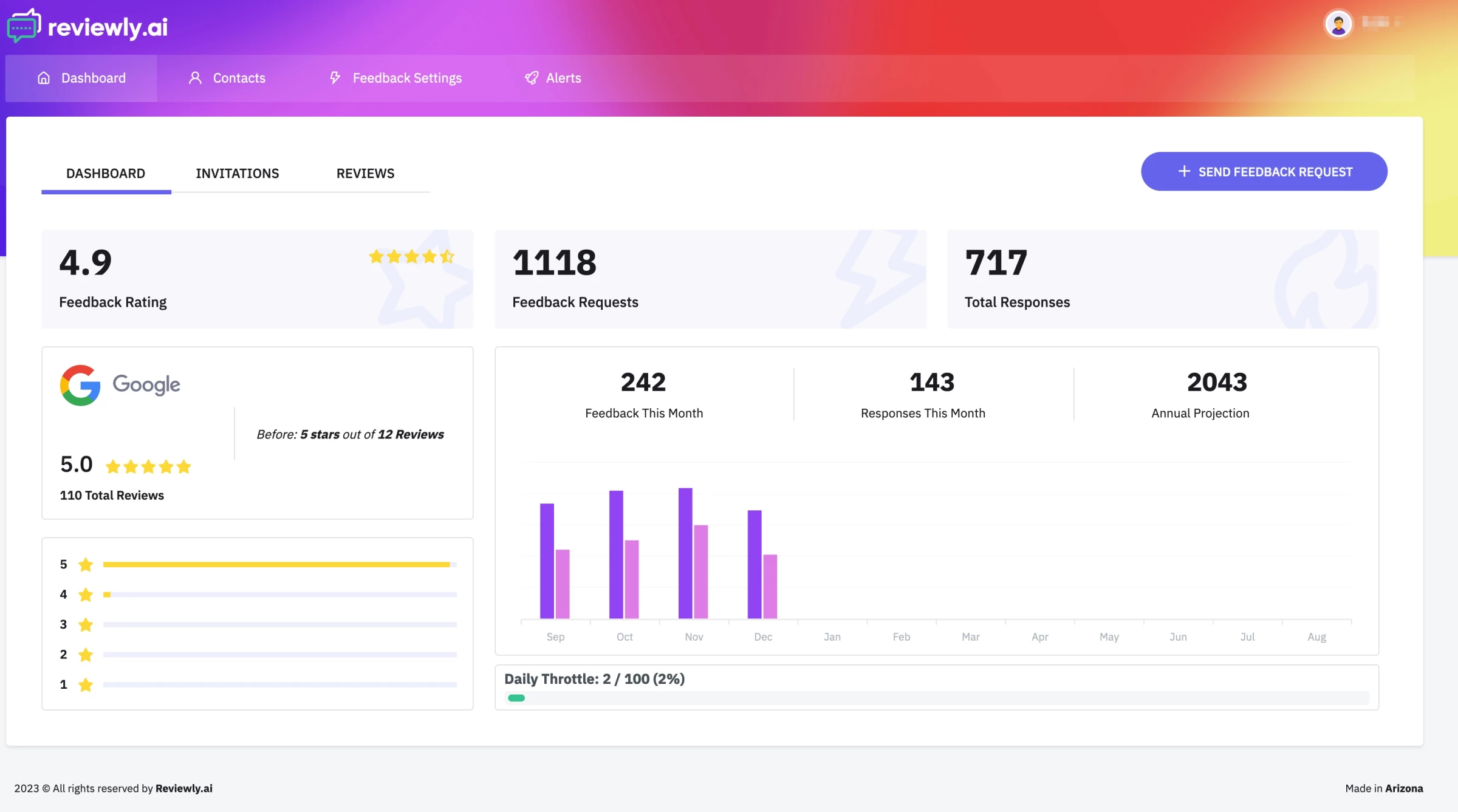
The AI-generated review drafts are the core feature. Customers can select a pre-written review, edit it, and submit it quickly. This removes the usual friction where people intend to leave feedback but do not follow through.
On the business side, instant SMS alerts and AI reply suggestions make it easy to respond as soon as reviews come in.
You can reply directly from your phone, which keeps response times short.
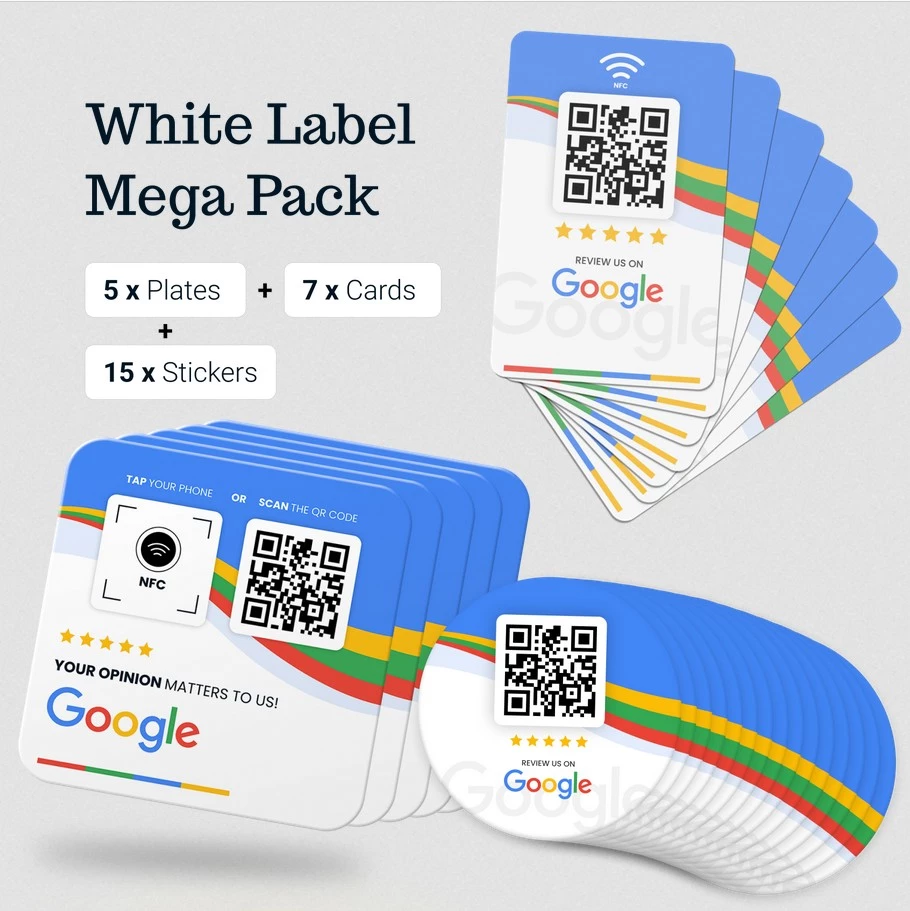
There is also a team leaderboard that tracks how many requests are sent and how many reviews are generated.
For multi-staff businesses, this adds accountability and keeps review collection consistent.
The limitations are tied to scope.
Reviewly is heavily centered on Google reviews, so it does not cover broader reputation channels or deeper brand perception analysis.
Lower tiers are more limited in features, and scaling across multiple locations requires higher plans, which some teams may find expensive depending on volume.
| Pros | Cons |
|
|
Pricing
- Single Location: $99/month
- Premium Location: $139/month
What Users Say
Users value how easy it is to start collecting reviews quickly, especially through SMS workflows that remove friction for customers.
The ability to generate review suggestions also helps increase response rates by solving the I don’t know what to write problem.
At the same time, feedback highlights that the tool is more focused on execution than flexibility. Some users note limited customization and fewer advanced features unless moving to higher-tier plans.
@reviewly.ai When you know first — you win first. ⚡ #AgencyGrowth#FakeReviews#ReputationManagement#SMMA#Leadership♬ original sound - Reviewly.ai
Other Notable Features
- NFC tags and physical review devices
- Bulk and CRM-based review requests
- White-label functionality for agencies
- Sentiment-aware AI responses
- Multi-location management
- High SMS open-rate optimization
3. Brand24: Real-Time Social Listening and Sentiment Monitoring
If you're a growing brand, agency, or PR team that needs to stay on top of online conversations and brand perception, take a closer look at Brand24.
Brand24 is an AI-powered social listening and reputation monitoring tool that tracks mentions of your brand across social media, news, blogs, forums, and review sites in real time.
The AI reputation management platform goes beyond just tracking mentions, as it helps you understand the conversation as it unfolds. I found it especially effective for real-time social listening and sentiment monitoring.
I tested how quickly Brand24 can alert me about what people are saying about our brand.
Upon signing up, I started creating my project using keywords or key phrases that included our company name.
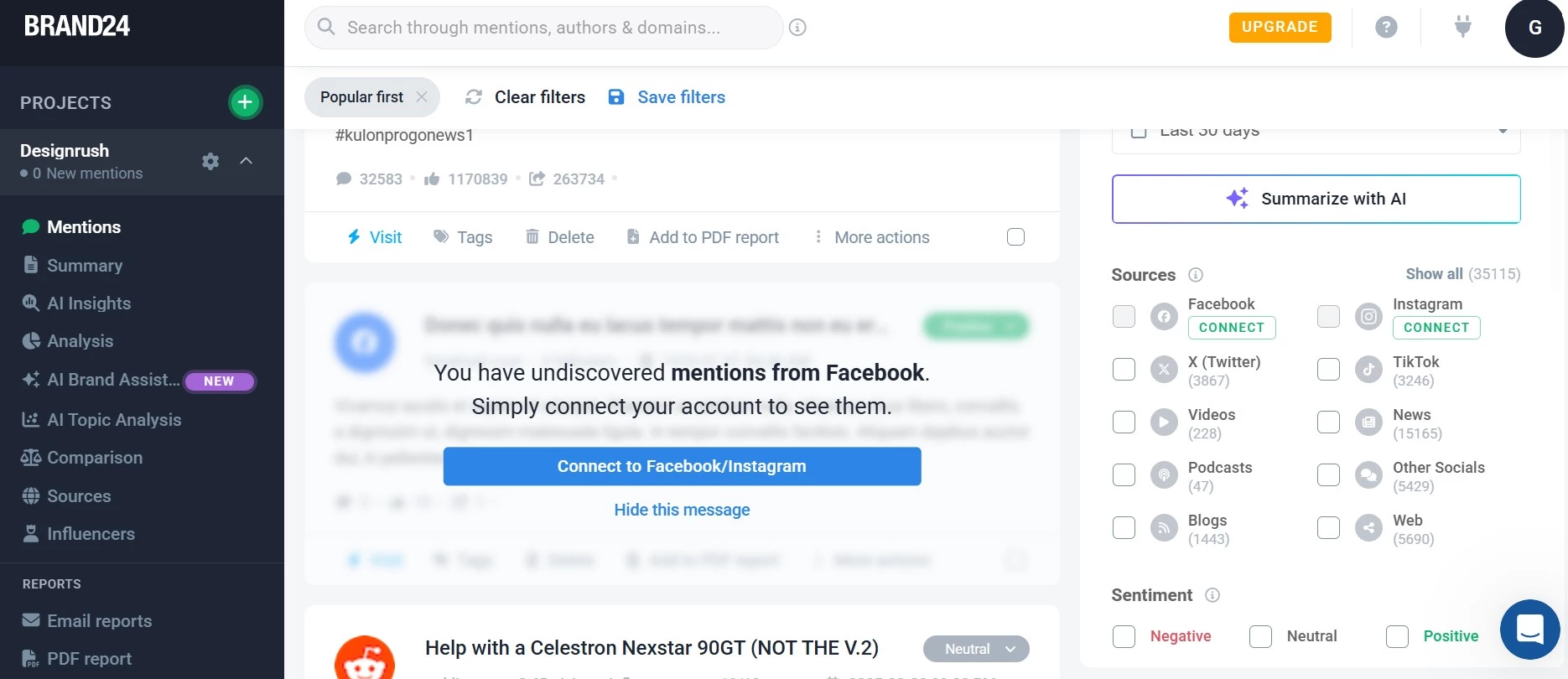
The AI scanned the internet to build a database of mentions about our brand, product, or topic.
Almost instantly, I could see mentions of our brand popping up. Aside from social media, mentions came from news sites, blogs, and even podcasts.
I liked the platform's advanced filters because when you're dealing with a lot of online chatter, you need to focus on what matters most.
Brand24 let me filter the results, so I didn't have to waste time on irrelevant mentions.
Ivan Olin, CEO of UPlineSoft, pointed out that AI tools today are equipped with real-time monitoring capabilities that scan brand mentions across various digital channels. He noted that “they employ sentiment analysis to flag negative content or reviews as soon as they appear,” enabling brands to respond quickly — often within minutes.
He added that automated response systems can even help craft replies, allowing brands to maintain a consistent voice while addressing concerns effectively. This kind of responsiveness, he emphasized, goes a long way in building trust and loyalty among customers.
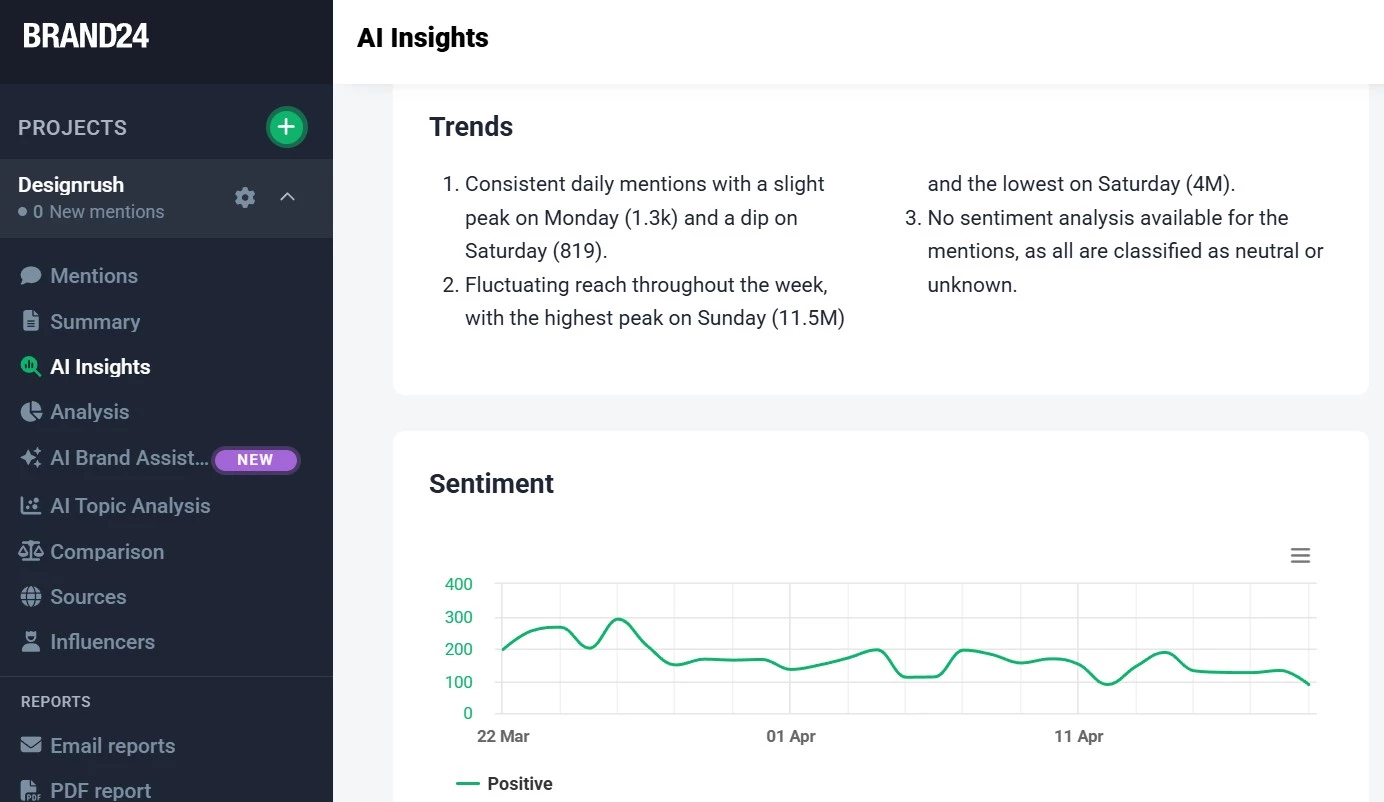
The sentiment analysis filter, on the other hand, is an AI-driven feature that identifies whether a mention is positive, negative, or neutral. Therefore, I can track negative comments in real time and address them before they cause any real damage.
Another winner for me is the Storm Alerts feature, which sends email notifications about sudden spikes in brand mentions, even outside regular working hours.
The limitation is that Brand24 is still a monitoring tool first. It tells you what is happening and where, but it does not guide you on how to fix positioning issues in AI answers or restructure content.
| Pros | Cons |
|
|
Pricing (billed annually)
- Individual: $199 monthly
- Team: $299 monthly
- Pro: $399 monthly
- Business: $599 monthly
- Enterprise: Starting from $1,499/month
Brand24 has a 14-day free trial to help you get started!
What Users Say
Users consistently point to real-time alerts and broad coverage as Brand24’s biggest strength.
The platform is also described as easy to use, with a dashboard that does not require much setup or training.
On the downside, some users say sentiment analysis is not always reliable and that the tool can pick up irrelevant mentions, so filtering is needed.
Pricing also comes up, especially for teams that need higher limits or advanced features.
Other Notable Features
- Filters mentions by sentiment, source, and importance
- An AI anomaly detector that detects sudden spikes or drops in brand mentions
- Delivers smart summaries and actionable recommendations
- Extracts key takeaways from complex data sets, saving time and uncovering what truly matters
- Detects emotional tone in mentions to better understand public sentiment
- Sentiment analysis classifies mentions as positive, negative, or neutral
4. Birdeye: Best for AI-Driven Review Management and Marketing
If you're a multi-location business looking to manage customer experience across locations, see how Birdeye can support your efforts.
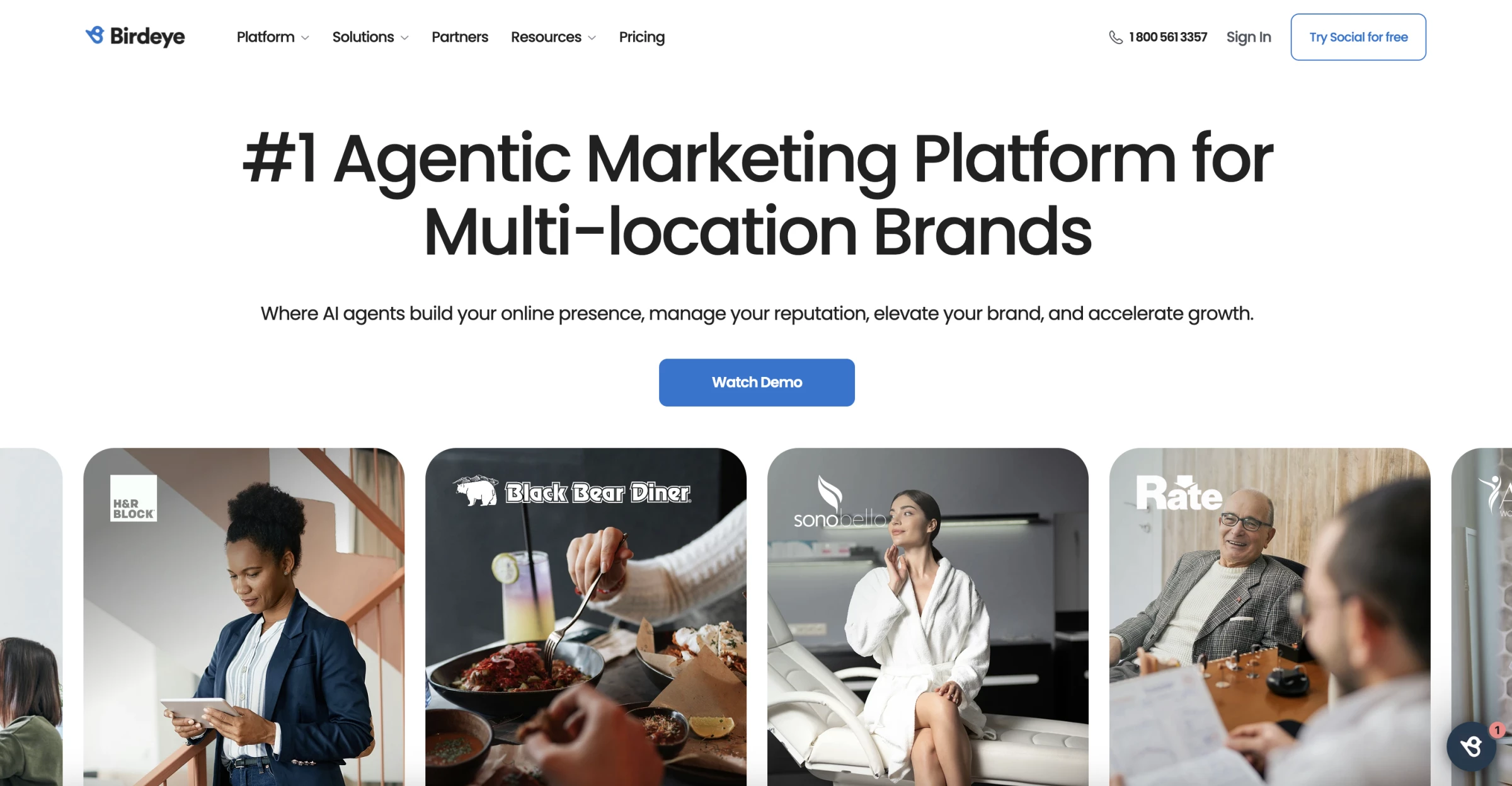
Birdeye is an AI-powered tool that helps businesses manage reviews, listings, messaging, and customer engagement across multiple locations from a single dashboard.
From what I saw in my testing, this is not a lightweight tool. It’s designed for teams that deal with high review volume and need consistency across locations.
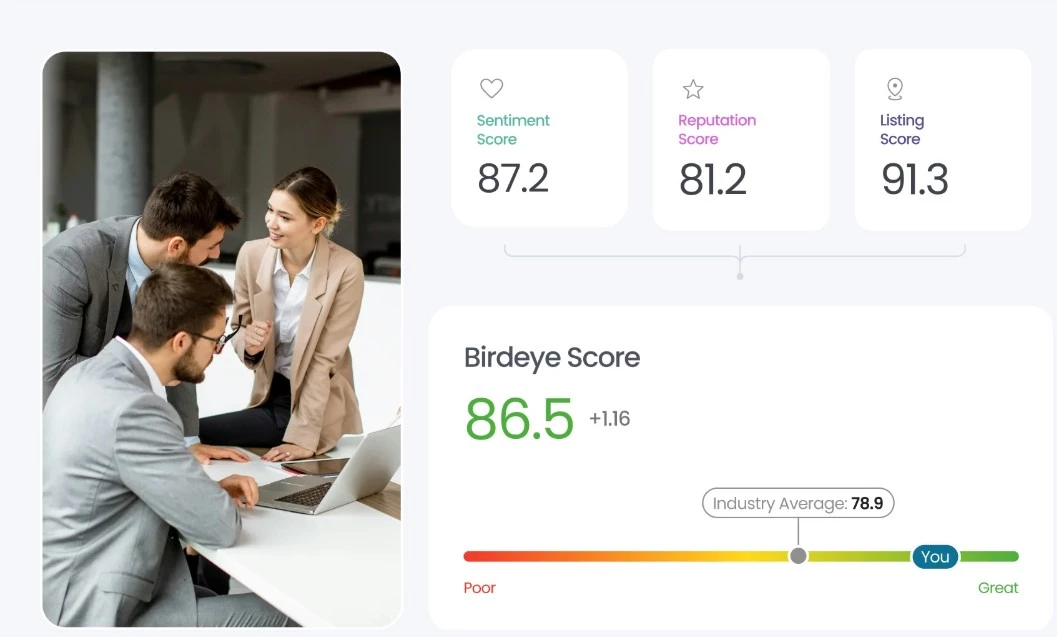
What stands out most to me is how Birdeye uses AI to generate and manage reviews.
The Birdeye Score, for example, combines key aspects of my online presence like listings, customer sentiment, and reviews into one clear score, so I can quickly see where I stand without digging through reports.
Another feature I genuinely like is the automatic translation of reviews.
For businesses with international customers, it means you don’t miss important feedback just because it’s in another language.
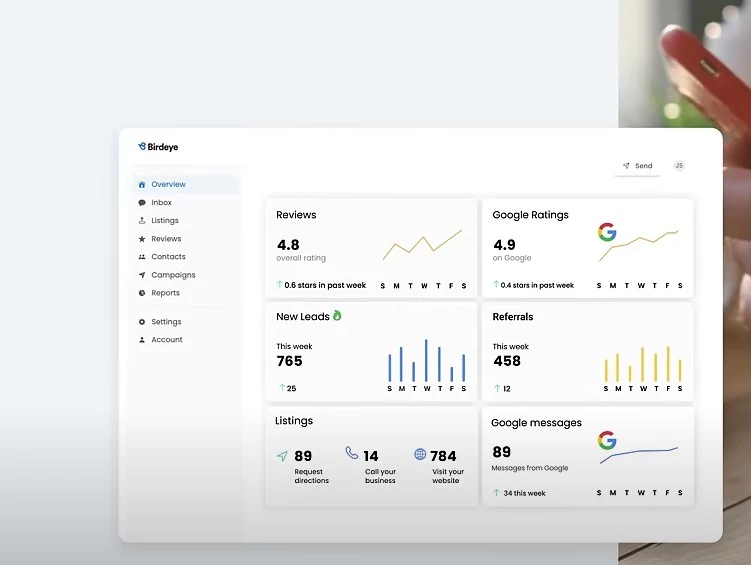
I explored the review marketing tools and found it easy to share positive reviews across platforms like Google and social media.
It saves time and makes it easier to build trust with both potential customers and existing audiences.
The dashboard pulls in reviews from over 200 sites into one place, so there’s no need to jump between tabs to keep track of feedback.
If I were using Birdeye long term, this alone would make reputation management much easier to stay on top of.
| Pros | Cons |
|
|
Pricing
- Custom pricing
What Users Say
Users consistently highlight how Birdeye simplifies review management and increases efficiency, particularly through automated requests and centralized dashboards.
Many point to time savings and better visibility into customer feedback.
At the same time, some users flag pricing and contract terms as drawbacks, especially for smaller teams, with occasional concerns around onboarding and cancellation flexibility.
Other Notable Features
- Summarizes reviews and generates personalized responses using NLP
- AI drafts, schedules, and optimizes social media posts
- Automatically updates listings and flags inconsistencies
- Simplifies survey creation and analyzes responses with AI
- Provides actionable insights across all customer interactions
- Tracks competitors’ reviews, ratings, and online activity
- AI chatbot improves customer engagement and support
- Centralizes messages from text, email, webchat, and social media into one inbox
5. Chatmeter: Multi-Location Sentiment Analysis and Competitive Intelligence
If you're a retail chain, restaurant franchise, healthcare network, or financial services provider managing multiple locations, take a closer look at what Chatmeter offers.
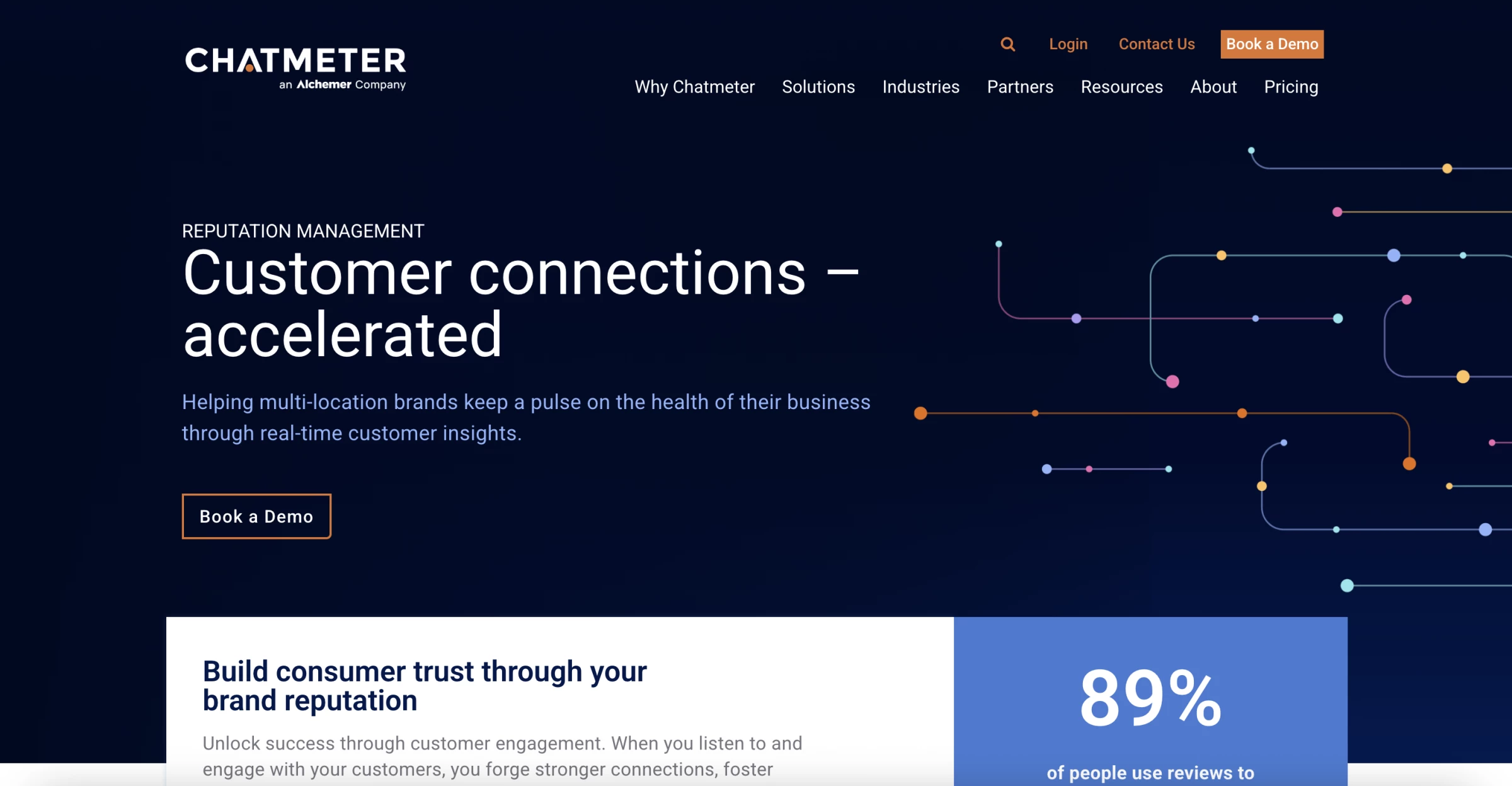
Chatmeter is an AI-powered reputation management and brand intelligence software built to track reviews, monitor sentiment, and manage brand presence across locations from one dashboard.
Its key strength, in my opinion, is its ability to provide in-depth analysis of customer sentiment and offer valuable competitive intelligence.
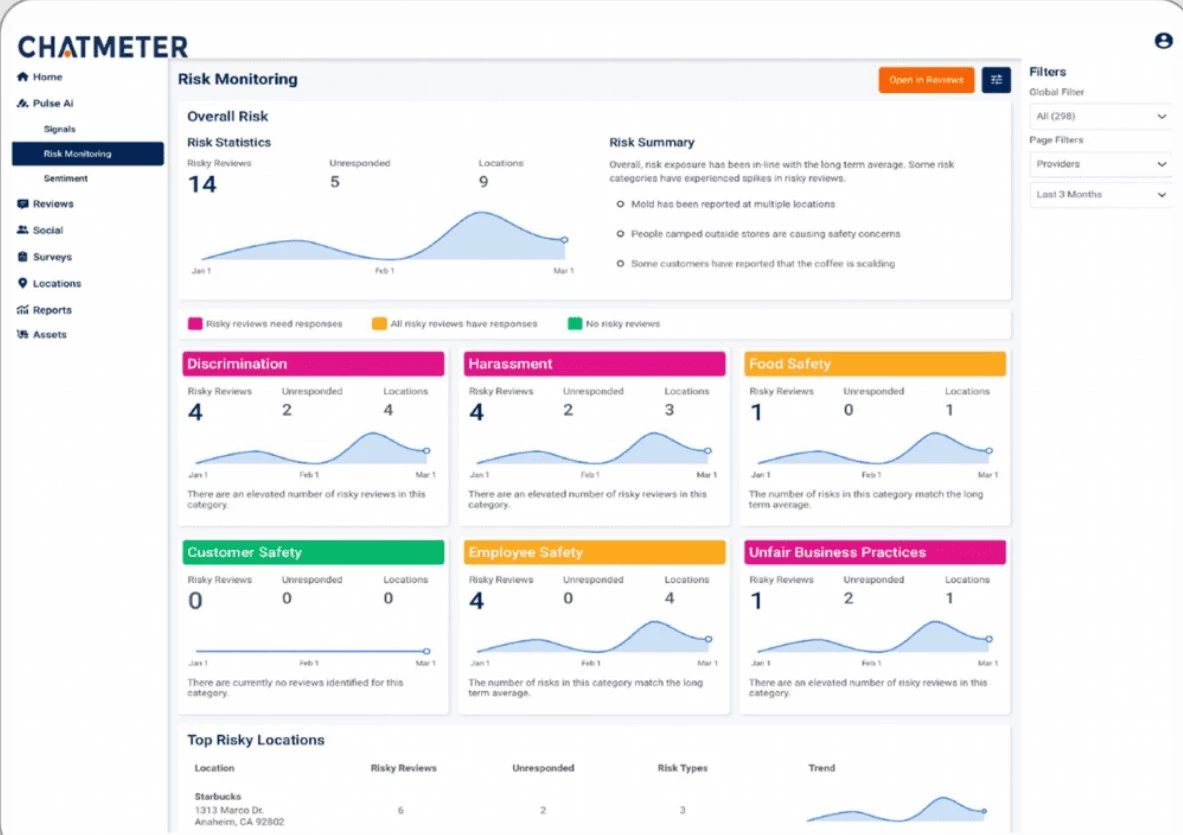
Pulse AI is one of Chatmeter’s standout solutions because the tool digs deep into customer feedback from various sources, such as reviews and social media comments, to really understand how customers feel.
I like that it's not just about knowing what people are saying but also how they're saying it.
I've found this incredibly valuable for spotting trends and really understanding the customer experience at each location.
Chatmeter uses AI-powered deep listening that can create customer experiences that drive brand love, loyalty, and lasting bottom-line impact.
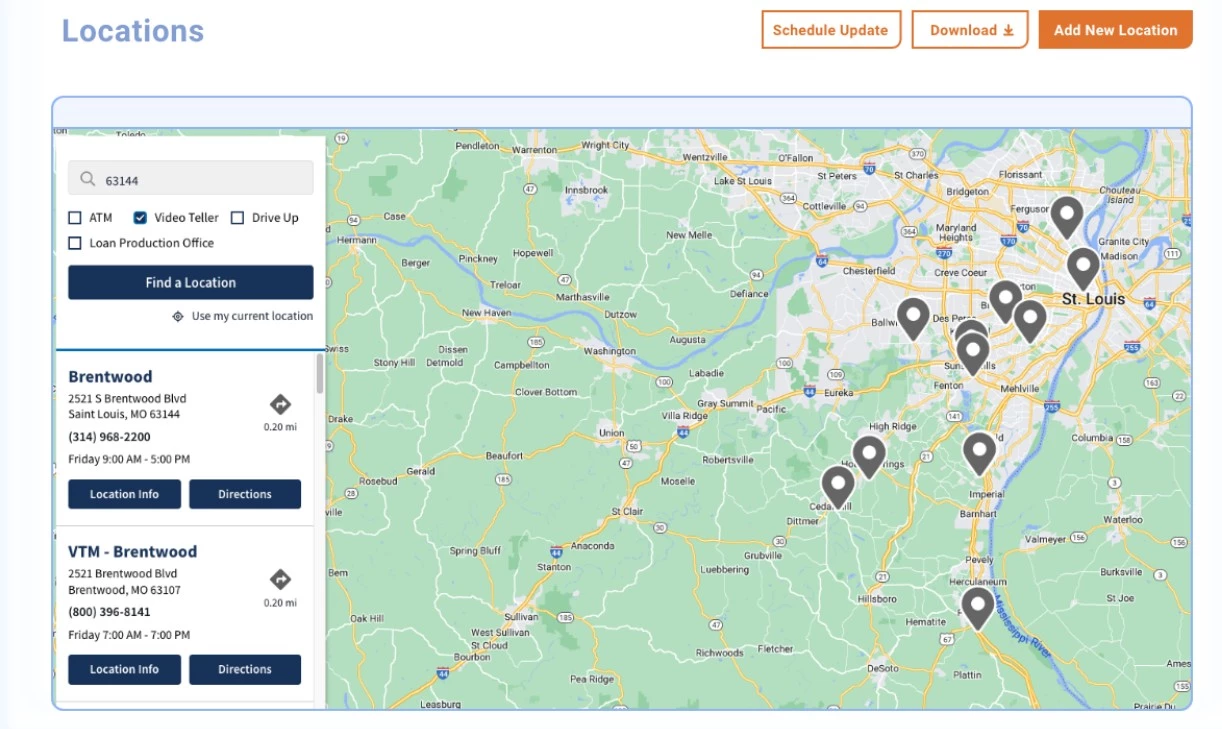
Another aspect I find particularly useful is the Local Brand Visibility (LBV) scoring system, which assesses a brand's online strength across key areas and allows you to compare your performance against competitors.
It's some sort of competitive benchmarking, so you can understand where you stand in the market and identify areas for improvement.
I can also use it to send automated review requests and boost local SEO with branded landing pages for different locations.
Business owners with limited SEO know-how will find this feature significantly helpful.
| Pros | Cons |
|
|
Pricing
- Custom pricing
What Users Say
Users consistently highlightvisibility and analytics as the biggest strengths.
Many mention that the platform gives a clear view of customer sentiment, review trends, and performance across locations, which helps with faster decision-making.
Real-time monitoring is another common benefit. Teams value being able to track reviews and social mentions across multiple locations in one place instead of switching between platforms.
At the same time, some users say the platform can feel complex at first, especially when navigating advanced features, and others mention that pricing is higher compared to simpler reputation tools.
View this post on Instagram
Other Notable Features
- Real-time sentiment tracking and alerts
- Centralized review monitoring and responses
- Trend detection and performance insights
- Automated review requests via SMS and email
- Listings management across 100+ directories
- Social publishing and analytics
- Built-in surveys and unified CX dashboard
- SEO landing pages for local visibility
6. Qualtrics: Best for Enterprise-Grade CX Integration
If you're an enterprise brand in hospitality, retail, or healthcare, explore what Qualtrics offers.
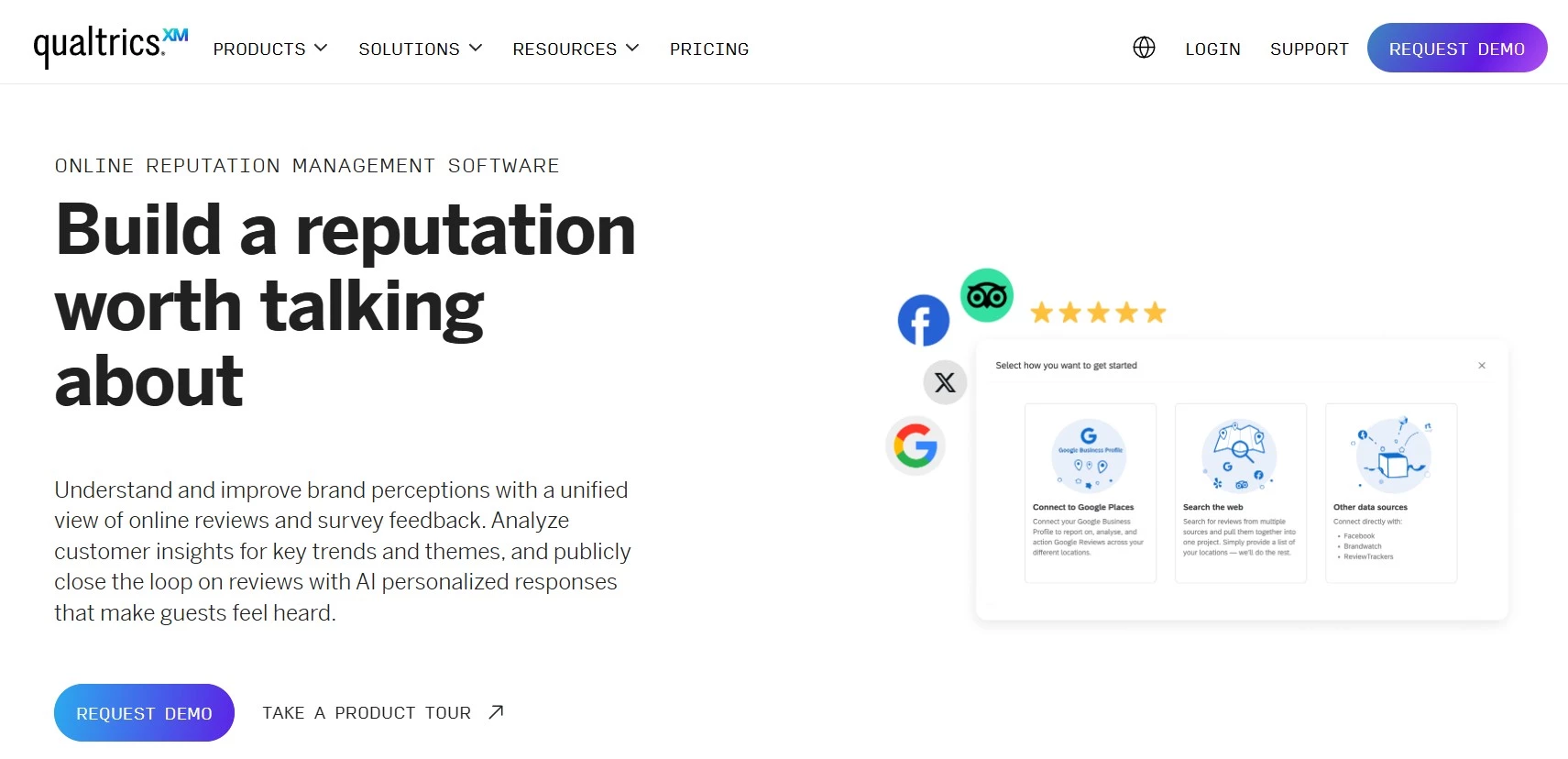
Qualtrics is an enterprise experience management platform that includes online reputation management as part of a broader system for collecting, analyzing, and acting on customer feedback.
First, what stood out to me was how well Qualtrics combined multiple feedback channels into one unified view.
Instead of looking at isolated reviews, the platform uses AI to pull in social media comments, in-app feedback, surveys, and even unsolicited behavioral data.
That kind of holistic perspective gives a much clearer picture of how customers really feel across every touchpoint.
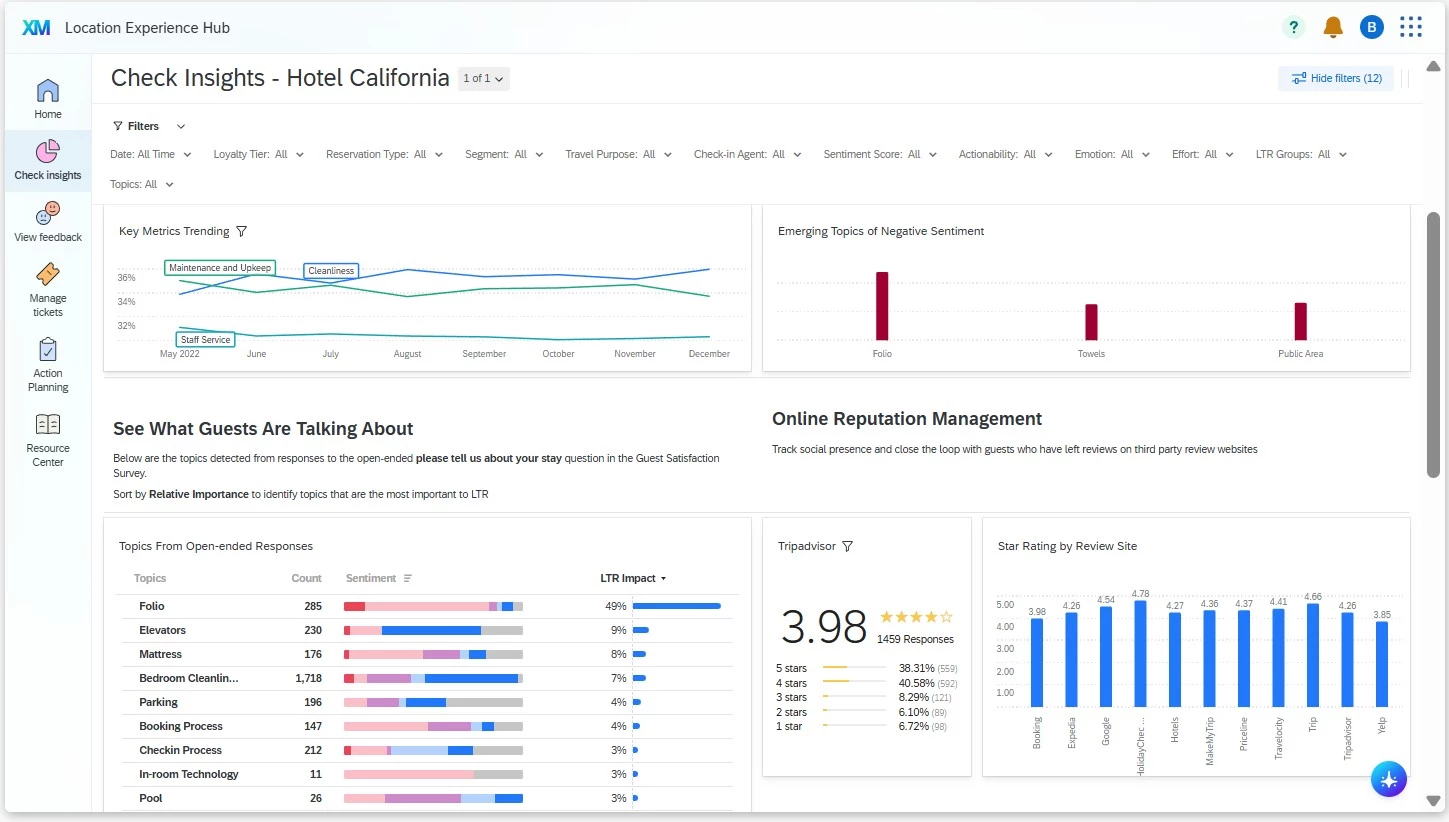
Then, rather than manually sorting through endless comments, the Qualtrics AI automatically surfaces key trends and sentiments.
The dashboards are clean and intuitive, showing overall brand performance and even breaking it down by review site or competitor benchmarks.
One feature I found especially useful was the ability to make feedback actionable right away.
I could create and assign tickets directly from individual comments, which ensures that issues don’t fall through the cracks.
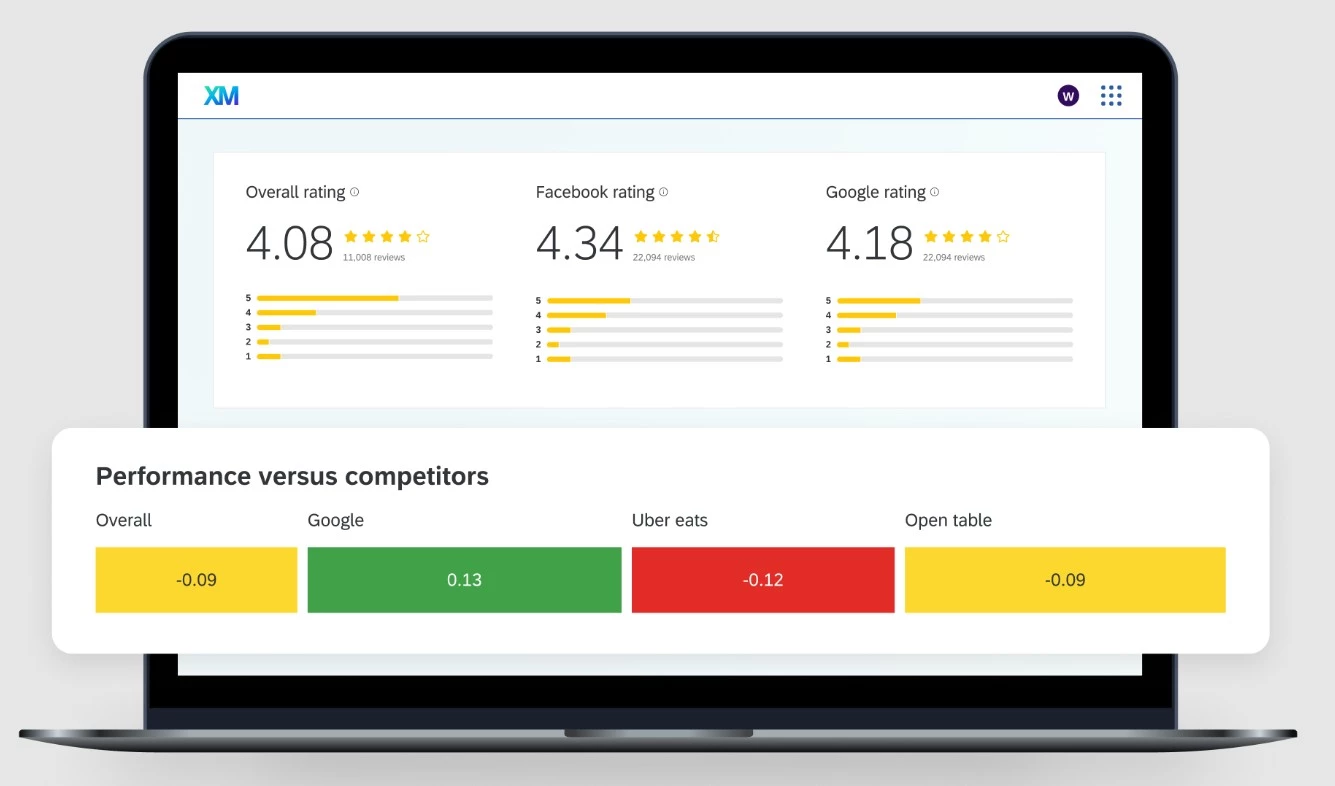
For large enterprises, that’s huge because, let’s face it, resolving customer concerns at scale is a real challenge. And when that slips, so does your online reputation.
The main thing that comes up as a tradeoff is it’s complexity.
Setup, configuration, and ongoing use require time and internal resources, and it is not designed for quick wins like generating more reviews or simple monitoring.
| Pros | Cons |
|
|
Pricing
- Custom pricing
What Users Say
Users consistently highlight how powerful the platform is for centralizing feedback and generating insights at scale.
Many mention that having all data in one place makes it easier to understand customer sentiment and make informed decisions.
The flexibility and depth of analysis also stand out. Teams value the ability to customize dashboards, run advanced reporting, and connect feedback across different channels.
Other Notable Features
- Collects feedback across Google, Facebook, surveys, and more
- Tracks and resolves complaints with follow-up workflows
- Analyzes competitor reviews to benchmark sentiment
- Flags negative feedback early and identifies brand advocates
- Integrates with ORM tools to connect reviews with CX data
- Sends real-time alerts for critical reviews or sentiment shifts
- Combines review and CX data into custom dashboards
- Auto-creates tickets from flagged feedback
- Adds review requests to surveys to increase volume
7. Vendasta: Best for White-Label Reputation Management for Agencies
If you run a marketing agency, resell services, or manage a small to mid-sized business, see what Vendasta can do for you.
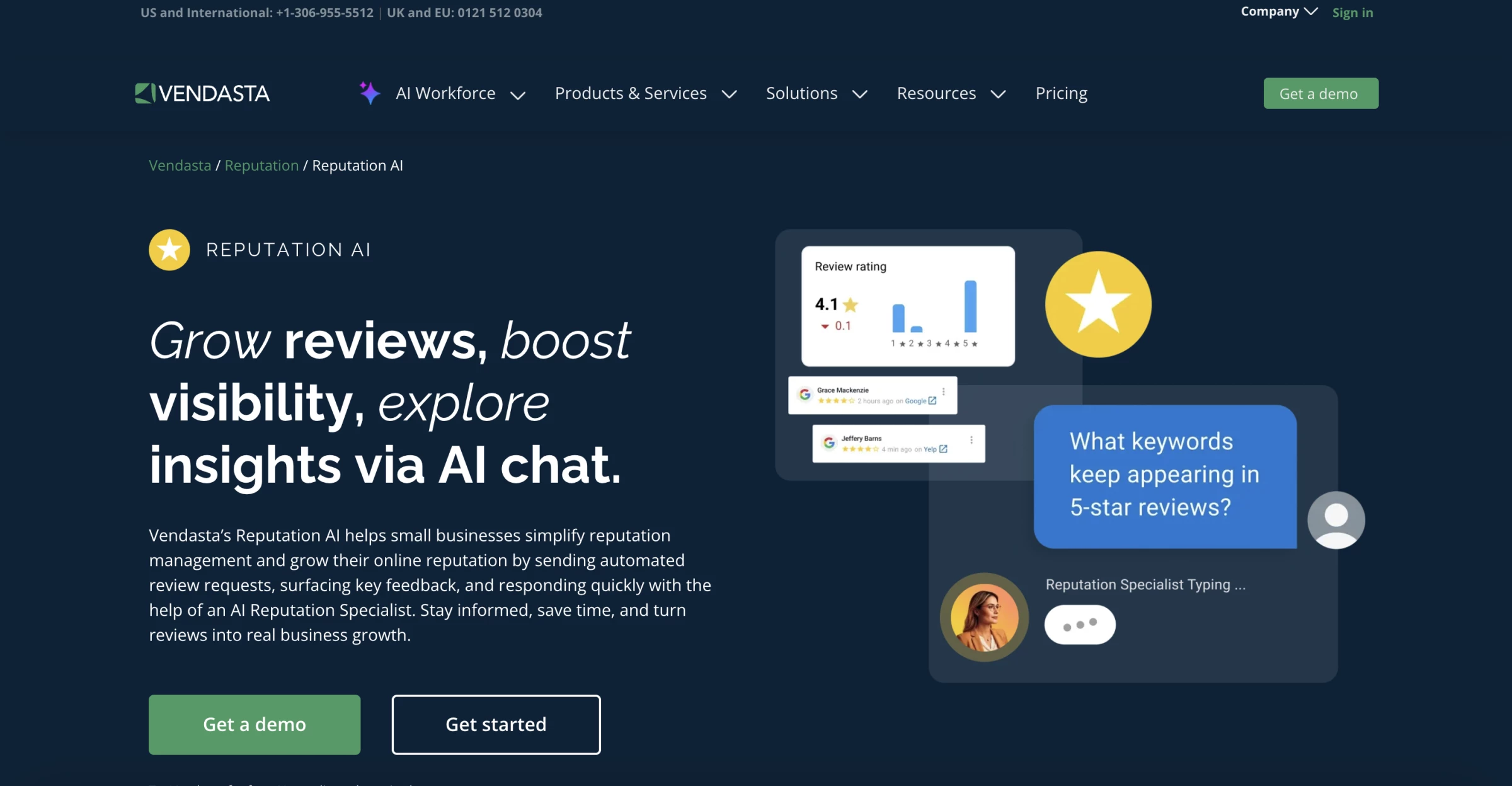
Vendasta Reputation AI is an AI-powered reputation management software built for agencies and multi-location businesses that need to manage reviews, sentiment, and client reputation at scale.
I tested the white-label setup and found the onboarding process straightforward, even though some reviews mentioned early setup complexity.
That said, I was still in the initial stages. An agency owner could easily offer the platform under their brand, completing it with custom branding.
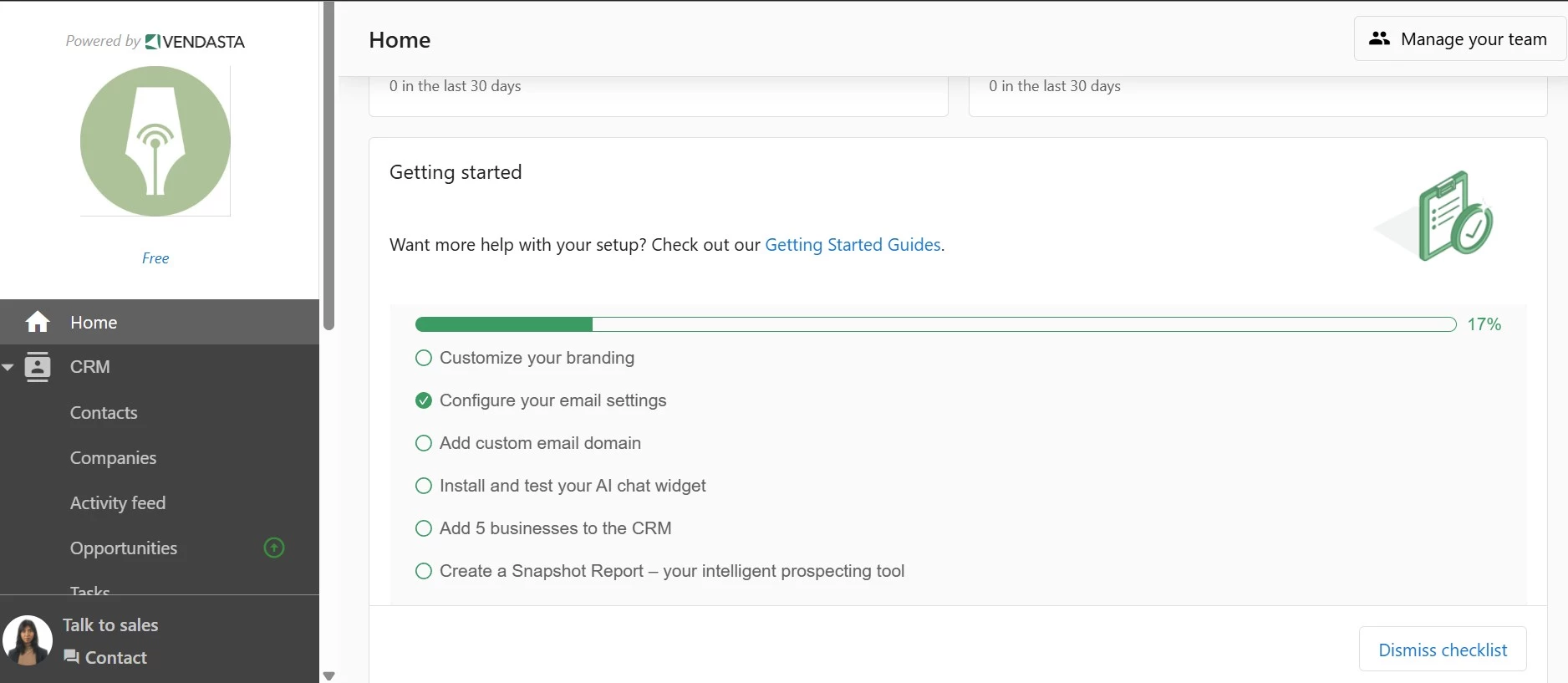
Setting up my account involved uploading my logo, configuring a custom email, and adding client businesses to the platform’s CRM.
After that, it was just a matter of completing the necessary setup steps for both my agency and each client.
I should mention that online reputation management AI is just one part of Vendasta’s offering. The platform provides a full suite of digital marketing tools designed to automate operations for agencies.
Therefore, it integrates ORM into a broader ecosystem, including SEO, social media, and other marketing tools. It enables agencies to manage a client’s digital presence from a single interface.
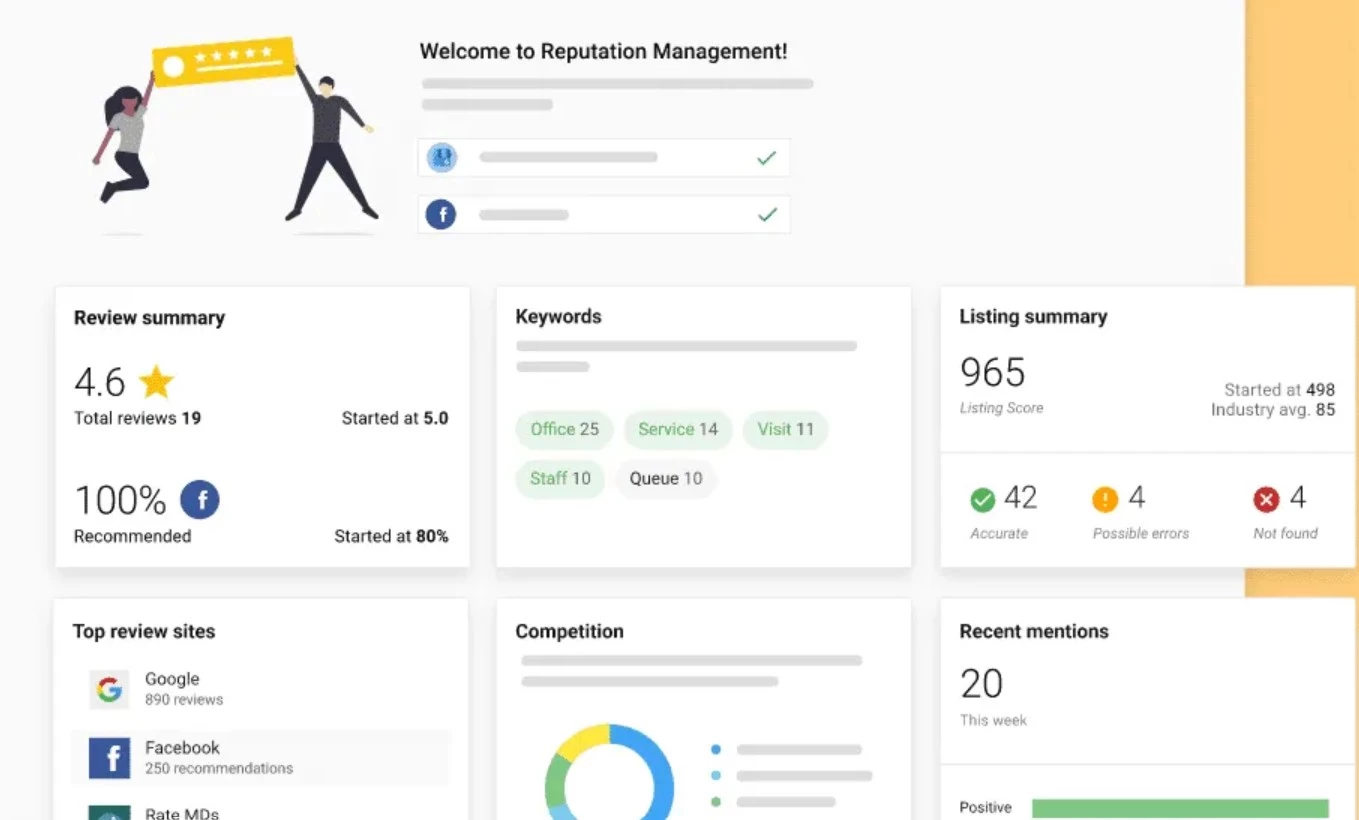
The platform’s AI-powered features really help save time. It automatically analyzes reviews, picks up on customer sentiment, and even suggests natural and on-brand responses.
I also appreciate the centralized dashboard. It pulls in reviews, listings, and customer mentions from platforms like Google, Facebook, and Yelp.
I can track everything in real time, spot trends, and respond quickly. The platform also automates review requests via SMS and email, helping clients generate more positive feedback.
| Pros | Cons |
|
|
Pricing
- Starts around $99/month for entry plans
- Higher tiers scale based on:
- Number of clients or locations
- Features and marketplace access
What Users Say
Users consistently highlight how much the platform consolidates tools into one system, replacing multiple subscriptions and simplifying operations for agencies.
The white-label capability is another major advantage. Agencies value being able to offer reputation management under their own brand without building their own product.
On the downside, users often mention a steep learning curve and a large number of features that take time to fully understand. Some also point to interface and usability challenges, especially early on.
Other Notable Features
- White-label customization for platform rebranding and CRM use
- AI web chat captures leads and centralizes follow-ups
- Built-in tools to create and schedule social media content
- Google Cloud hosting for fast, secure WordPress sites
- Unified PPC reporting to track ad performance
- Yesware integration to streamline email outreach and deals
- AI-personalized email and SMS campaigns
- Unified inbox for all customer conversations
- Simplified local listings management for better visibility
- MatchCraft tools to scale ad performance efficiently
8. Talkwalker: Best for Catching Reputation Risks Early
If you’re part of a brand, PR, communications, or social team, take a closer look at Talkwalker.
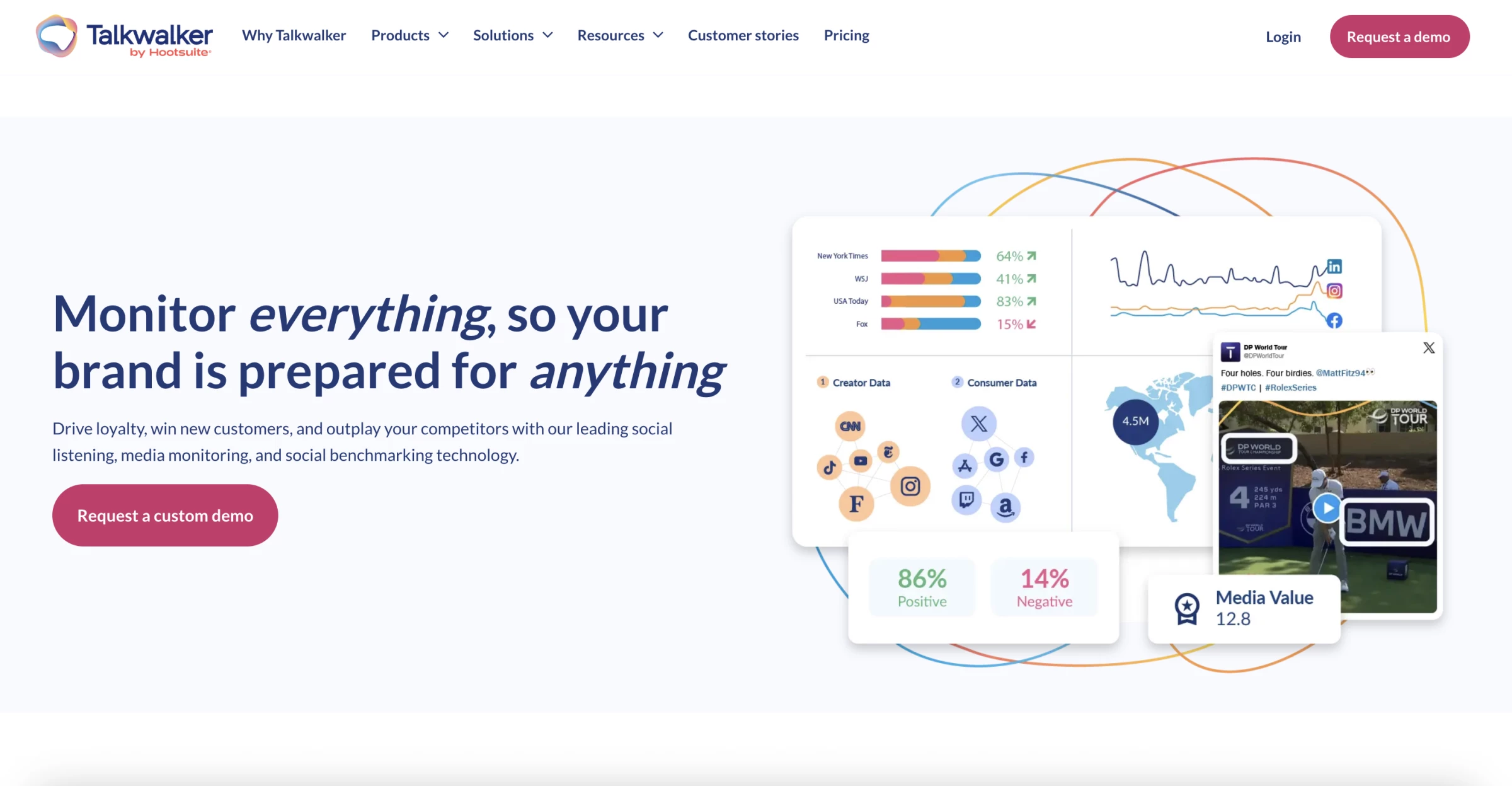
Talkwalker is an AI-powered social listening and media monitoring tool built for brands that need to track conversations, sentiment, and reputation signals across social media, news, blogs, forums, and other online sources in real time.
Setup starts with creating topics around your brand, competitors, or product terms, then refining filters, so the feed reflects the conversations you actually care about.
Once that is in place, the platform becomes useful quickly.
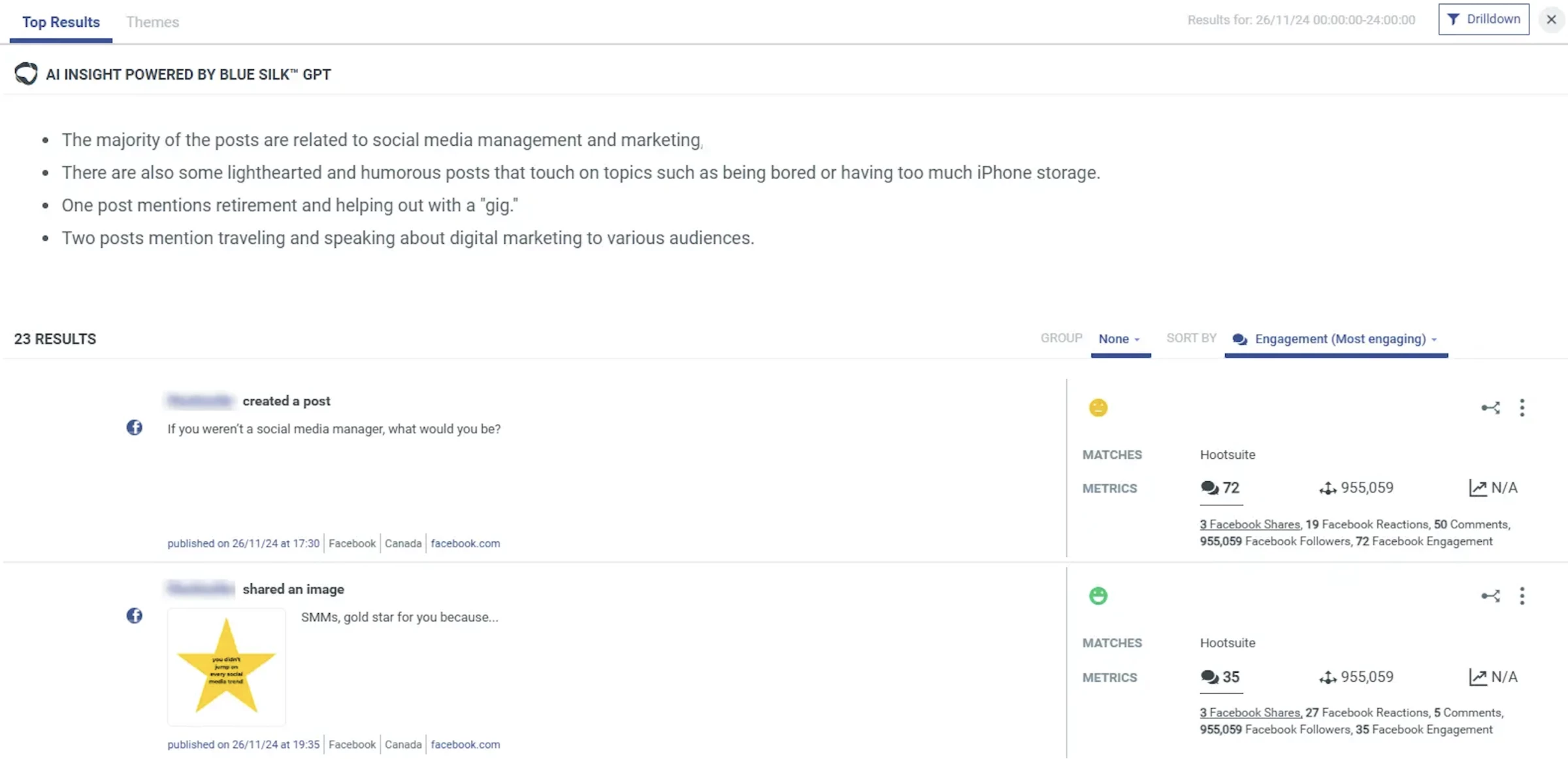
It pulls mentions into one stream, flags spikes in volume, and layers in sentiment, trend detection, AI summaries, and alerts.
That made it easier for me to catch narrative shifts early instead of finding out after a complaint, controversy, or bad review cycle has already gained traction.
What I liked most was the depth.
You can break down where the conversation is happening, how sentiment is changing, which topics are driving attention, and whether a competitor is gaining ground in the same conversation space.
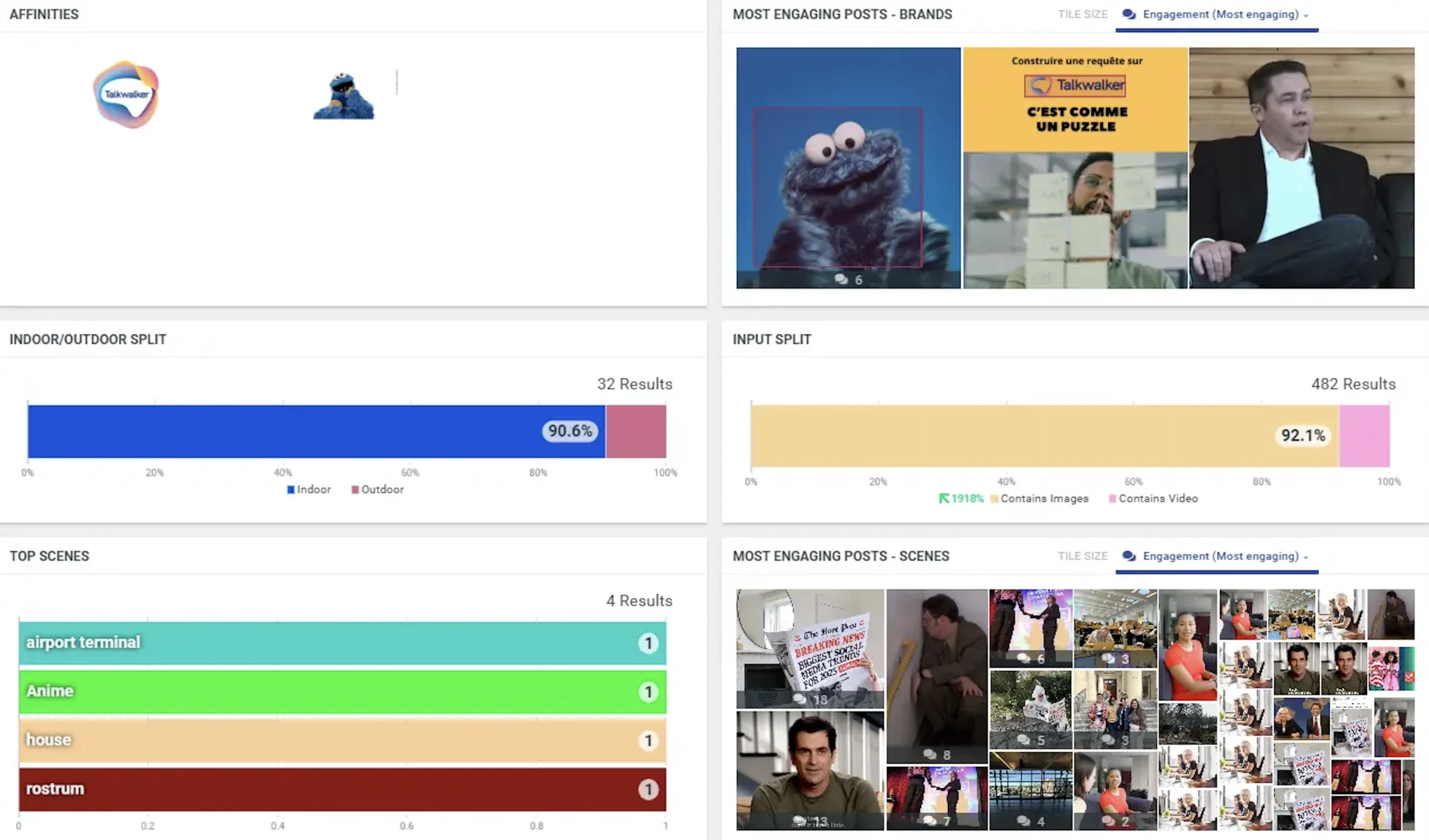
The AI features are so practical. TalkwalkerAI includes summaries, peak detection, forecasting, and an AI agent that lets you query your data more directly, which made the platform easier to use when I needed answers fast.
One thing that I found as a tradeoff is that the tool gives you a lot of data, and the value depends on how well you structure queries, filters, and dashboards.
| Pros | Cons |
|
|
Pricing
- Custom pricing
What Users Say
Users praise Talkwalker for its strong analytics, broad monitoring coverage, and flexible dashboards.
Many reviews also highlight that it is powerful for crisis monitoring and brand audits once the setup is done well.
At the same time, a common drawback is the learning curve.
Because the platform is so flexible, teams often need time to get comfortable with queries, filters, and workflows before they get the full value.
Other Notable Features
- AI summaries, forecasting, and peak detection
- Competitor and market conversation tracking
- Custom dashboards, reports, and alerts
- Broad source coverage across social networks and websites
- AI agent for querying brand and audience data
9. Brandwatch: Best for Deep Consumer Intelligence and Reputation Analysis
If you’re in marketing, insights, PR, or communications and rely on data to understand brand perception, explore what Brandwatch can do.
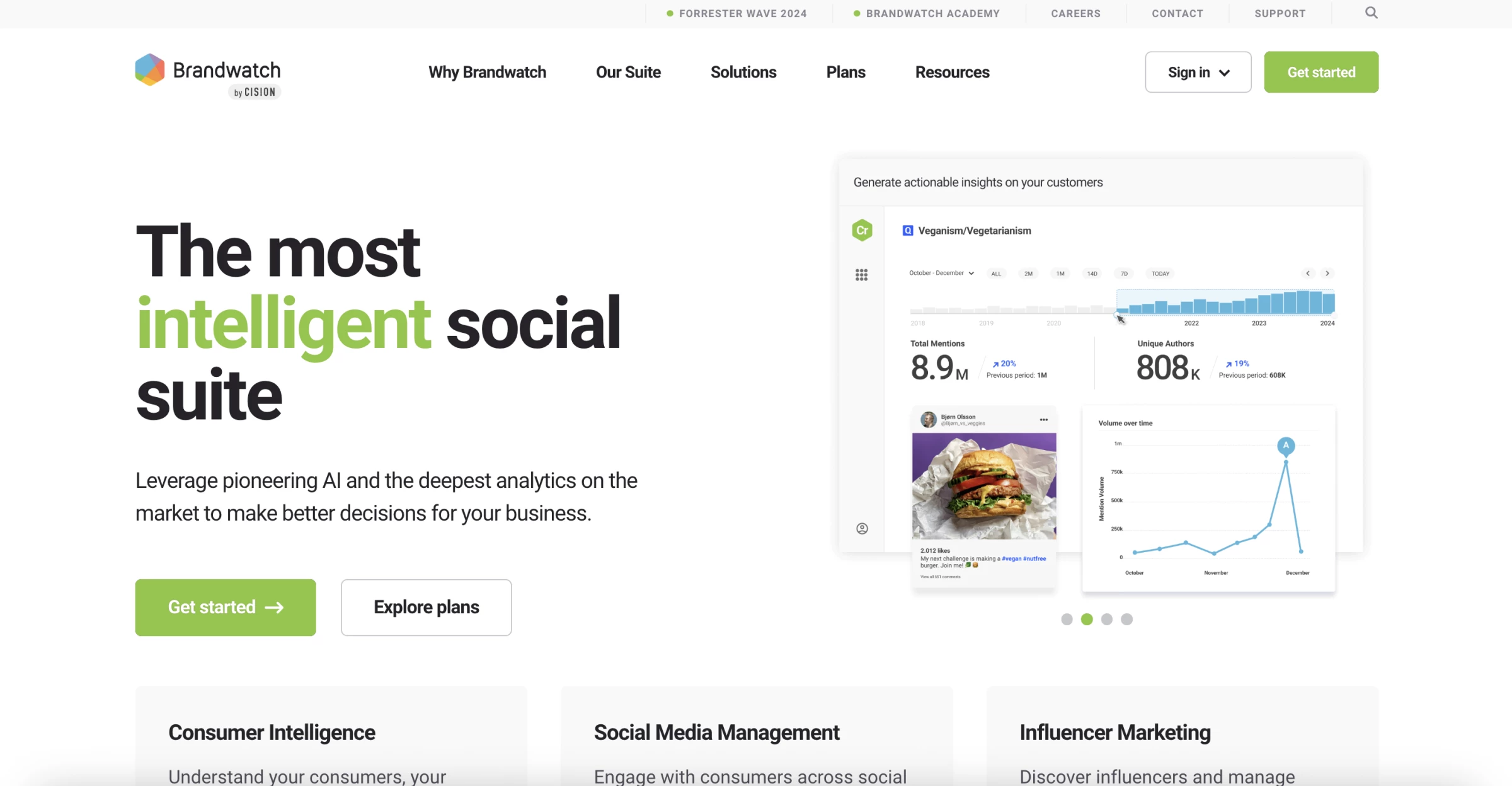
Brandwatch is an AI-powered social listening and consumer intelligence software built to track brand conversations, analyze sentiment, and turn large volumes of online data into actionable insights.
I set it up starting with queries around the brand, competitors, and a few key product terms.
This part is not optional. If your queries are weak, the data is messy. I had to refine filters and Boolean logic to remove noise and get something usable.
Once that was dialed in, the platform started to make sense.
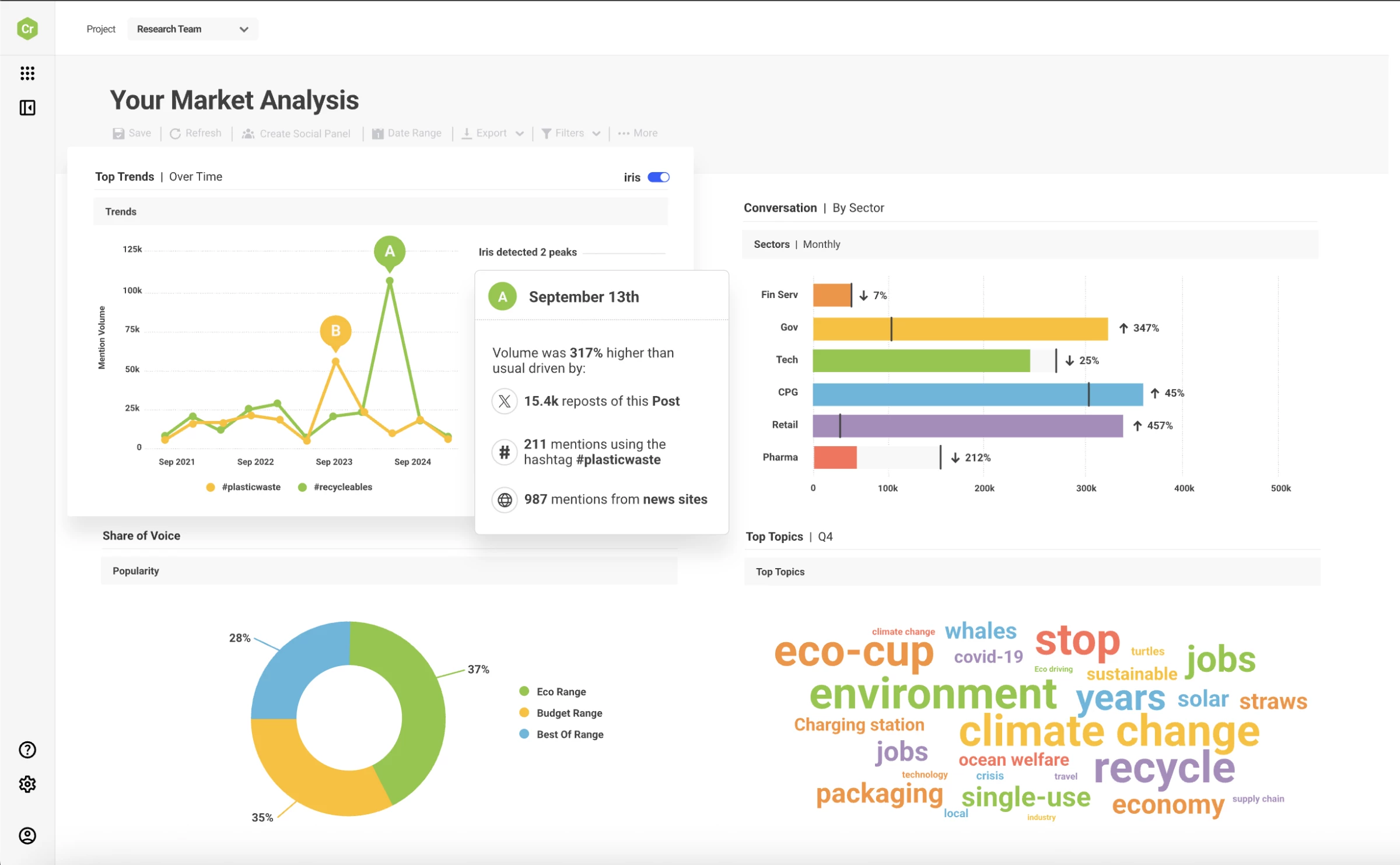
What you get is a large volume of conversations pulled from across the web, often from sources you would not manually check, and organized into dashboards.
Brandwatch processes data at scale, pulling from millions of sources and continuously adding new conversations, which explains why the dataset feels dense and not surface-level.
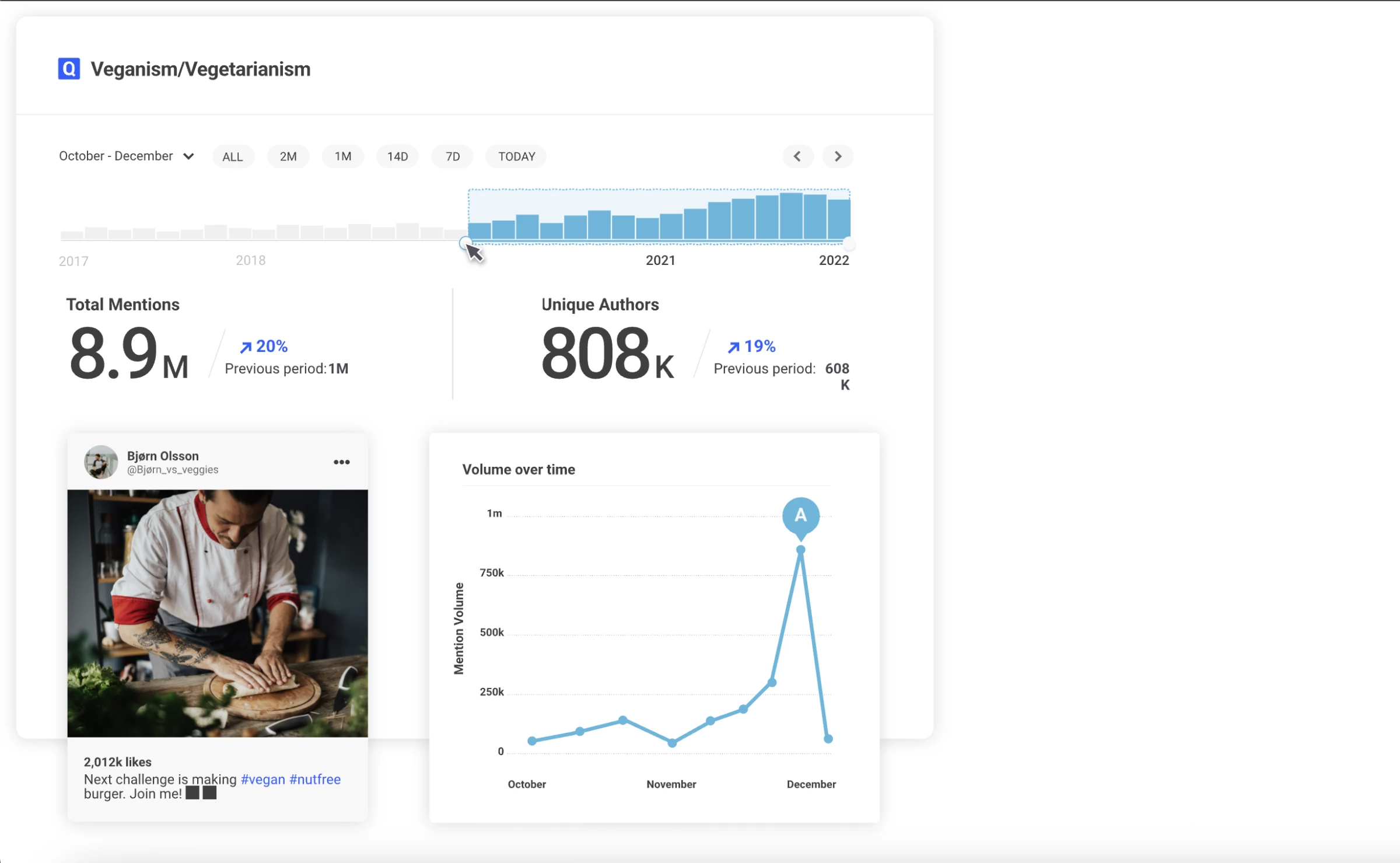
The real value shows up when you start breaking things down. I could:
- See how sentiment shifts over time
- Identify spikes tied to specific events or topics
- Compare how competitors are being discussed in the same context
- Drill into individual conversations behind the data
The AI layer helps, but it is not magic. It flags anomalies, surfaces trends, and summarizes conversations, but you still need to interpret what matters.
The dashboards are flexible, and once configured properly, they turn a messy stream of mentions into something structured and usable.
| Pros | Cons |
|
|
Pricing
- Custom pricing based on data volume and features
What Users Say
Users highlightdata depth and centralized management as major strengths. Many like that they can track multiple channels, conversations, and campaigns from one platform instead of switching tools.
The social listening capabilities are also widely praised, especially for monitoring competitors and industry trends in real time.
At the same time, users mention a learning curve and complexity, particularly when setting up queries and navigating the interface.
Other Notable Features
- AI-driven sentiment and trend detection
- Custom dashboards and data visualizations
- Competitor benchmarking and share of voice
- Influencer and audience analysis
- Social publishing and engagement tools
- Historical data and large-scale data coverage
10. Sprinklr: Best for Enterprise Reputation Management
If you’re part of a large organization managing high volumes of customer interactions, see how Sprinklr can bring everything into one system.
Sprinklr is an AI-powered customer experience and reputation management tool built to monitor, analyze, and respond to brand conversations across social media, reviews, and digital channels at enterprise scale.
Setup is not lightweight. You are not just adding a brand name and getting results. I had to think in terms of workflows, teams, and channels.
Once configured, the platform pulls in conversations from over 30 social and digital channels, review sites, and media sources, all into one place.
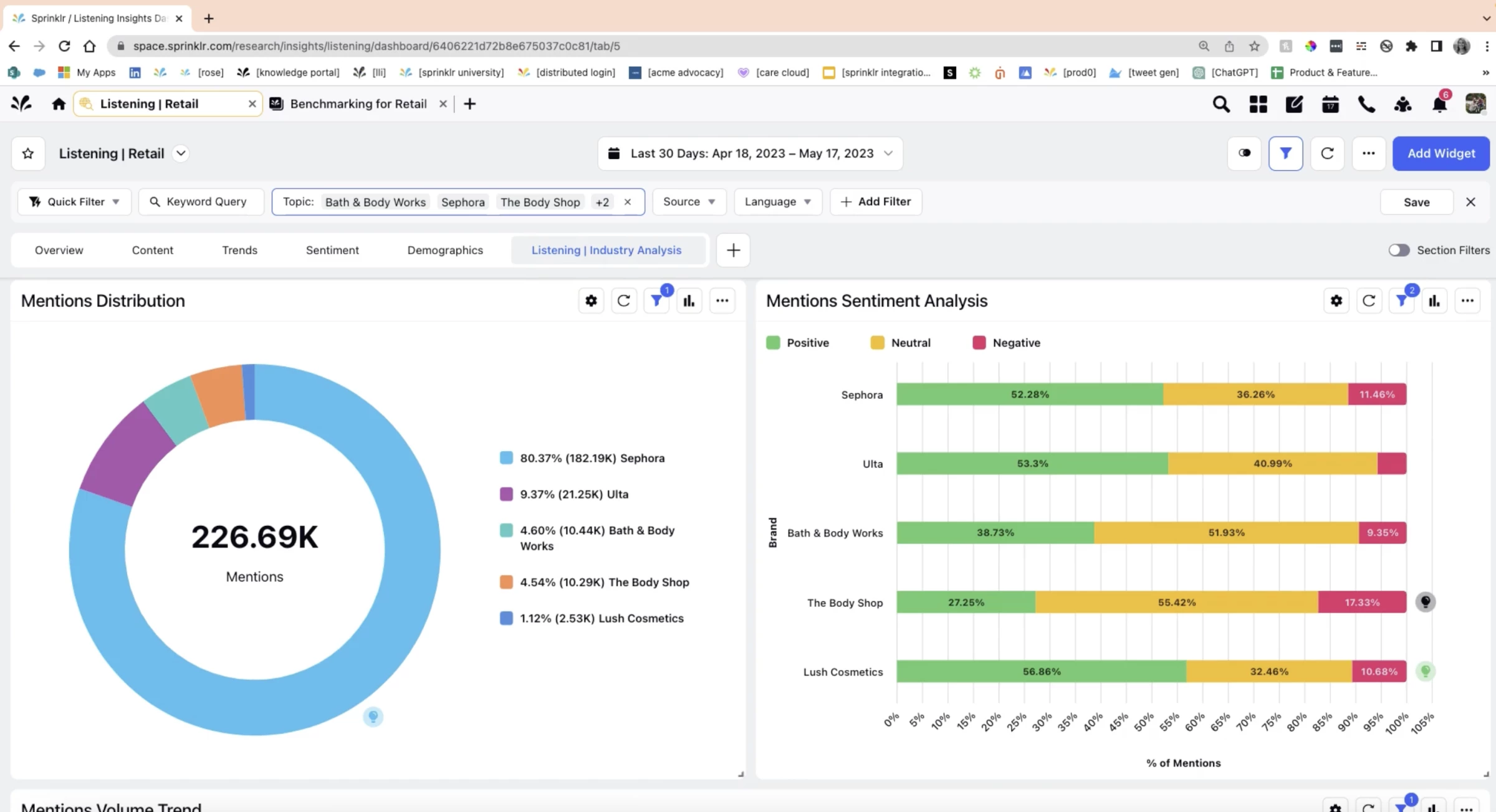
What stood out is how centralized everything feels. Instead of switching between tools, I could:
- Monitor reviews, mentions, and social conversations in one feed
- Track sentiment and detect anomalies in real time
- Route issues to the right team automatically
- Respond to feedback at scale with structured workflows
Spinklr is built to move information across teams and trigger action. For example, negative sentiment can trigger alerts, get assigned to support, and be tracked through resolution without leaving the platform.
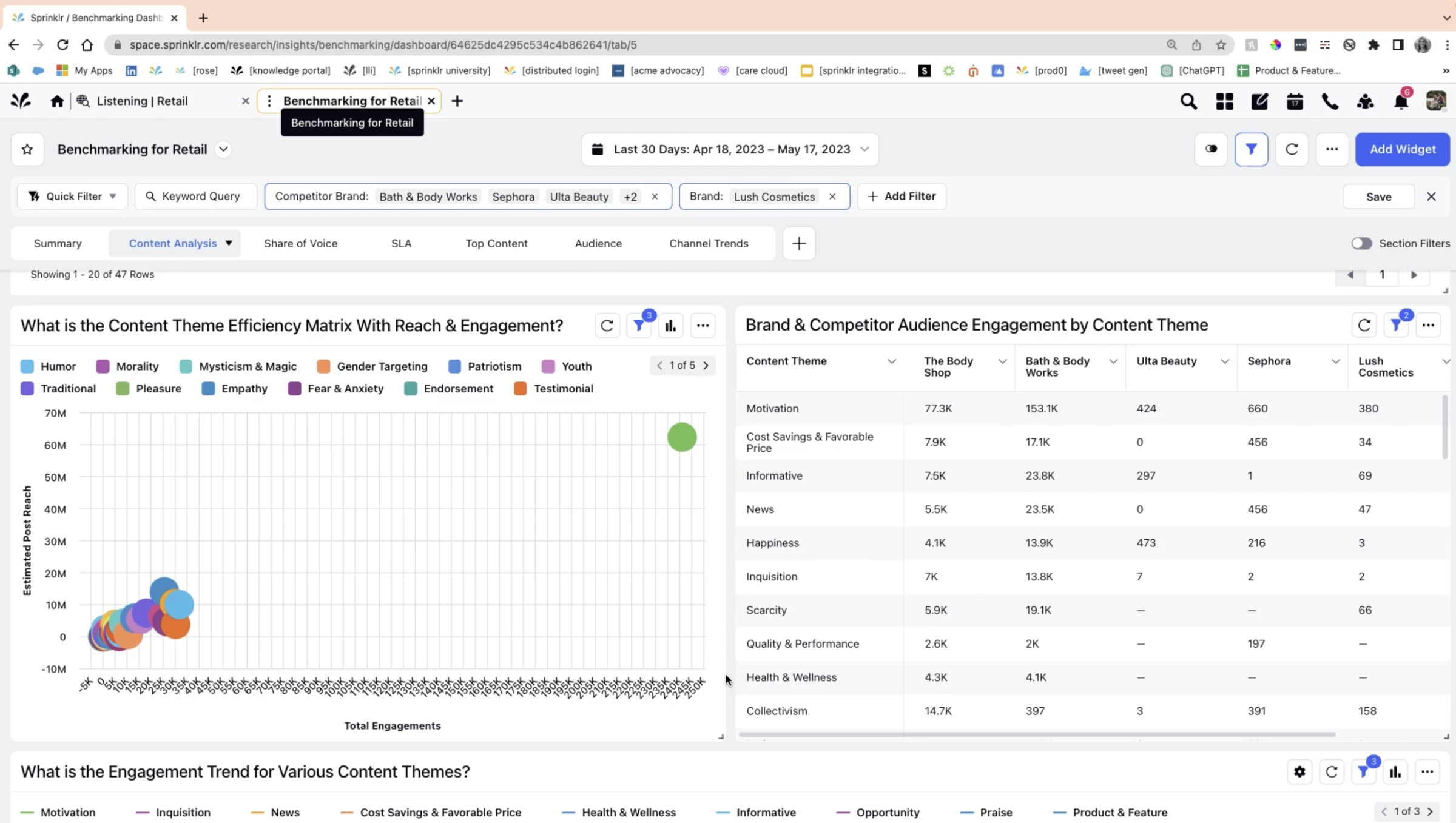
The AI layer analyzes sentiment, flags spikes, and highlights risks early. The Smart Alerts system is especially useful because it surfaces sudden changes in conversation volume or tone before they turn into larger issues.
I also tested the review management side. Sprinklr pulls in ratings and reviews, identifies negative feedback, and suggests responses so teams can reply faster and more consistently.
Pricing
- Pricing is custom and enterprise-based
What Users Say
Users often point out how well Sprinklr centralizes customer interactions and data across channels, making it easier to manage engagement and maintain response quality at scale.
The platform is also praised for its automation, analytics, and structured workflows, which help teams work in a more organized and data-driven way.
At the same time, complexity is the main drawback. Users frequently mention that the platform requires time to set up and learn, and can feel overwhelming at first.
Вижте тази публикация в Instagram.
Other Notable Features
- AI anomaly detection for sudden sentiment or mention spikes
- Competitor tracking and share of voice insights
- Approval workflows for consistent brand messaging
- Unified monitoring across 30+ channels
- AI-assisted content and response suggestions
- Multilingual sentiment analysis for global coverage
- Audit logs and compliance tracking
- Automated routing of reviews and customer issues
AI Reputation Management Tools At a Glance
This table shows what each tool actually does so you can compare them without digging through feature lists.
| Tool | Best for | AI Visibility and Insights | Review Collection and Response | Cross-Channel Monitoring | Pricing |
| Brandi | AI answer visibility and positioning | ✅ | ❌ | ❌ | Custom |
| Reviewly | Generating Google reviews via SMS | ❌ | ✅ | ❌ | From $99/month |
| Brand24 | Real-time brand monitoring for SMBs | ✅ | ❌ | ✅ | From $149–199/month |
| Birdeye | Multi-location review management and customer experience | ✅ | ✅ | ✅ | Custom |
| Chatmeter | Multi-location reputation management | ✅ | ✅ | ✅ | Custom |
| Qualtrics | CX-driven reputation insights | ✅ | ❌ | ✅ | Custom |
| Vendasta | Scaling reputation for agencies | ❌ | ✅ | ✅ | From ~$99/mo |
| Talkwalker | Advanced listening and crisis detection | ✅ | ❌ | ✅ | Custom |
| Brandwatch | Deep consumer intelligence | ✅ | ❌ | ✅ | Custom |
| Sprinklr | Enterprise CX and reputation operations | ✅ | ❌ | ✅ | Custom |
The main difference comes down to use case. If you need visibility, go with monitoring tools. If you need more reviews, choose execution-focused platforms. If you care about AI-driven discovery, that is a separate layer entirely.
A combination of few is what I found that works best for my use case.
Other Reputation Management Tools With AI Capabilities
In addition to the main platforms covered, there are other AI-driven tools on the market that offer powerful features such as automated review generation, sentiment analysis, and smart response suggestions to help businesses proactively manage their online reputation.
1. Appbot: Your AI Eye on User Feedback
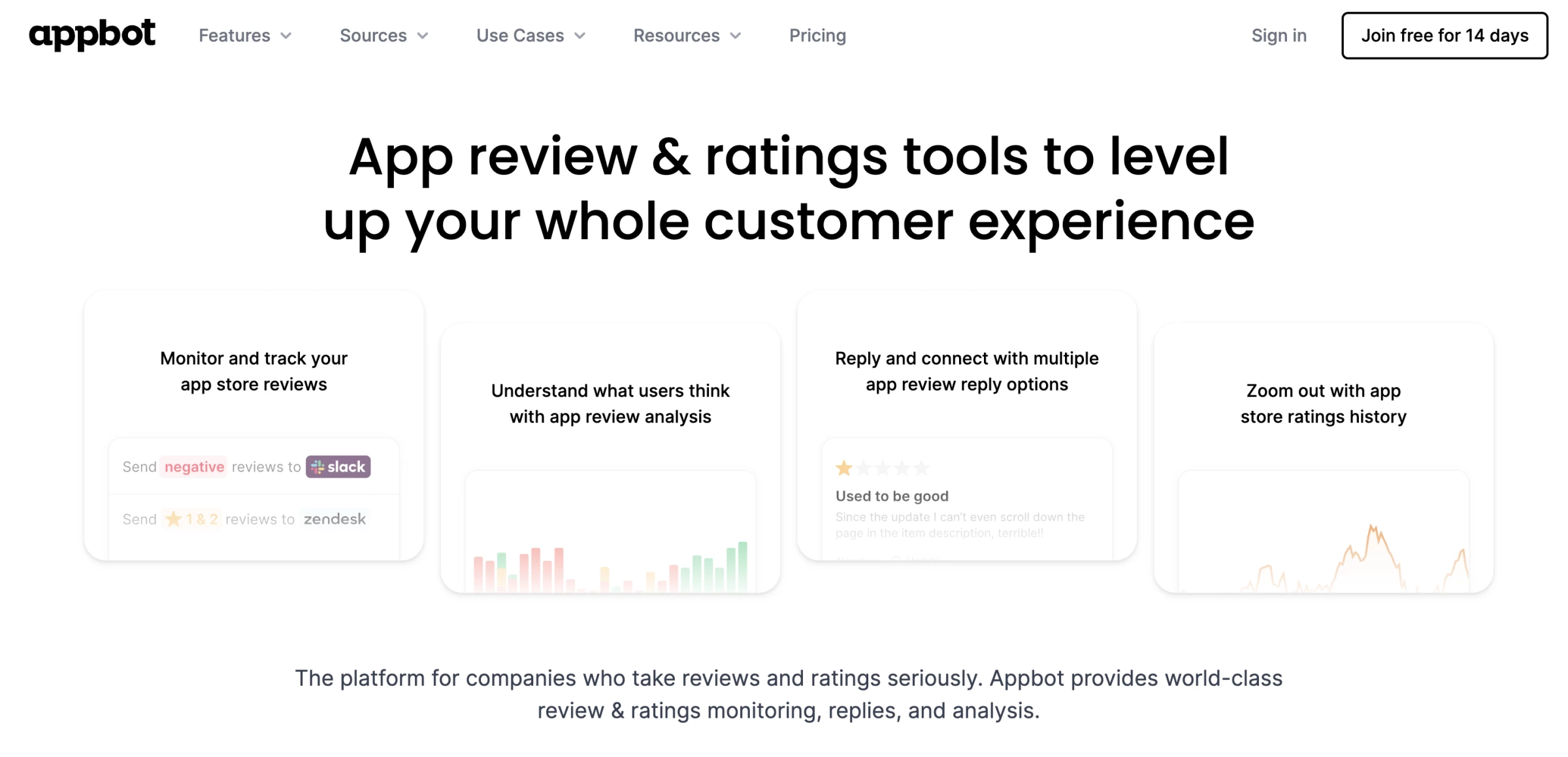
Using Appbot felt surprisingly seamless from the get-go. I connected an app store account, and within minutes it pulled in a bunch of recent reviews.
Unlike basic thumbs-up/thumbs-down systems, Appbot gives nuanced interpretations, for example, tagging something as neutral but with frustration over pricing, or identifying sarcasm in a positive-rated review that was actually annoyed.
| Pros | Cons | Pricing |
|
|
|
Another thing worth mentioning is that every review had a Generate AI Reply button, and clicking it was like having a helpful assistant pop in.
I tweaked a few replies, but honestly, most didn’t need much editing. It wasn’t just good grammar; it was the tone that impressed me: empathetic, professional, and user-focused.
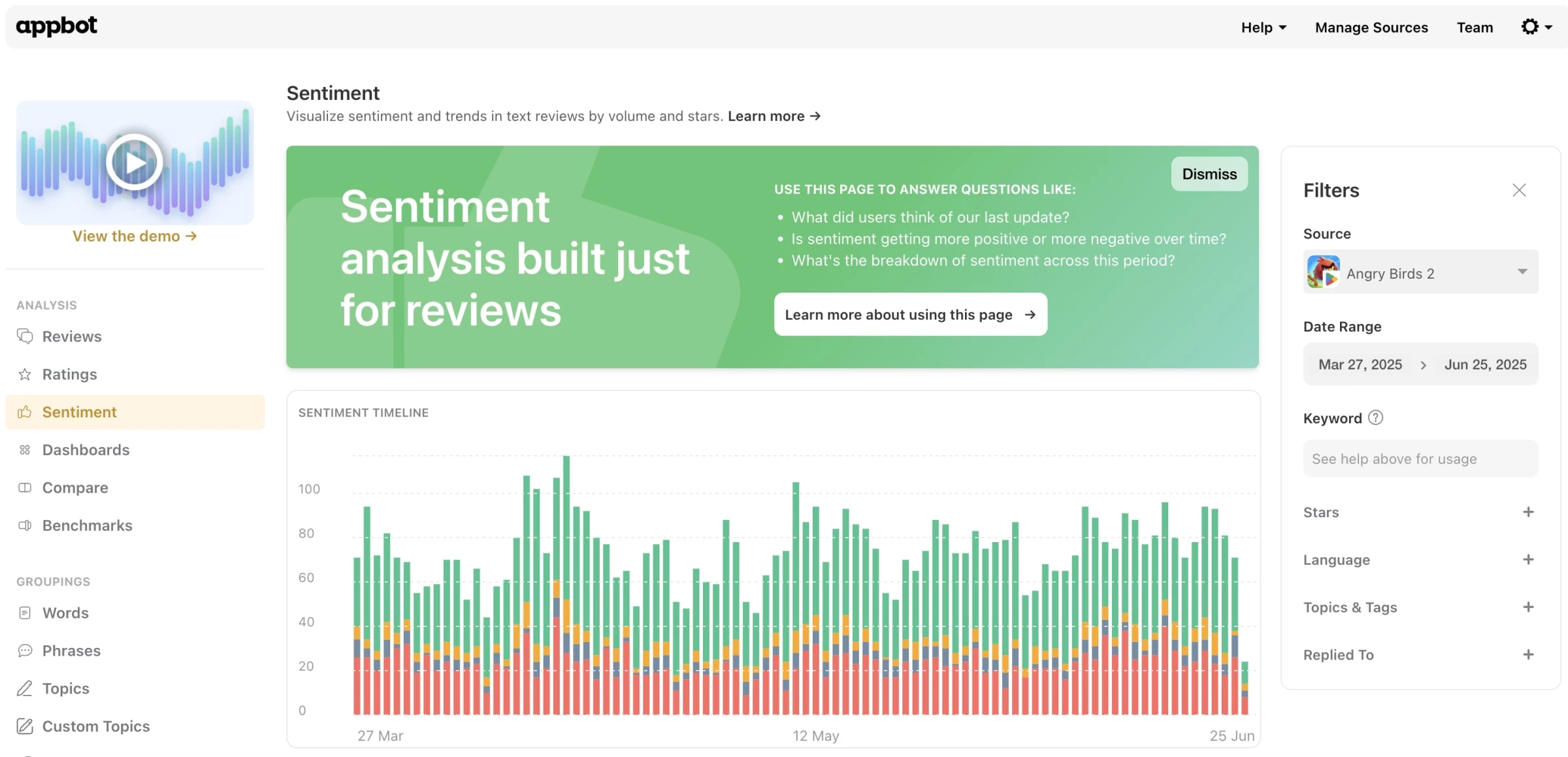
Although, while generally high-quality, sometimes leaned a bit too formal or safe.
Another issue I noticed is that it’s still primarily focused on text-based analysis.
If your app users leave reviews heavy on emojis or one-liners with vague sentiment (like meh or ugh), Appbot sometimes struggled to classify those accurately or generate meaningful replies.
Appbot is best suited for teams or companies that actively maintain mobile apps and receive regular user feedback through app stores.
That includes product managers, support teams, UX researchers, and developers, basically anyone who needs to stay on top of what users are saying post-launch and wants to respond thoughtfully and quickly.
Our team ranks agencies worldwide to help you find a qualified partner. Visit our Agency Directory for the top online reputation management companies, as well as:
- Top Public Relations Firms
- Top Crisis Management Firms
- Top Branding Agencies
- Top Reputation Management Companies in Boston
AI Reputation Management FAQs
1. What is AI reputation management?
AI reputation management uses artificial intelligence to monitor, analyze, and respond to how a brand is perceived online, including reviews, social mentions, and AI-generated answers.
2. How is AI reputation management different from traditional reputation management?
Traditional tools focus on reviews and mentions. AI tools go further by analyzing sentiment, detecting trends, and in some cases tracking how brands appear in AI-generated responses like ChatGPT or Google AI Overviews.
3. Do AI reputation tools replace SEO?
No. They complement SEO. SEO helps you rank, while AI reputation tools help you understand how your brand is described, perceived, and surfaced across different platforms, including AI systems.
4. Can AI tools automatically improve my reputation?
No. Most tools identify issues and suggest actions, but improving reputation still requires updating content, responding to reviews, and fixing customer experience problems.
5. Which AI reputation management tool should I choose?
It depends on your goal. Use monitoring tools for visibility, review tools to increase ratings and responses, and AI visibility tools if you want to improve how your brand appears in AI-generated answers.



-preview-webp.webp)