
I tested today’s top AI debugging tools to see which ones actually help you achieve your business goals. Here’s what worked, what didn’t, and what’s worth adding to your stack.
AI Debugging Tools: Key Findings
- Real-time tools like GitHub Copilot and SnykCode catch bugs as you type, helping you fix issues without ever leaving your editor.
- CodeAnt AI and Qodo AI speed up the debugging process, but occasional false positives or bloated output make them better as helpers, not alternatives for real review.
- No single AI debugging tool does it all, but CodeRabbit.ai offers a comprehensive feature set, providing context-aware code comments.
Top AI Debugging Tools Reviewed
Industry research shows that debugging inefficiencies and software defects cost companies hundreds of billions of dollars each year.
They also quietly consume one of the most expensive resources in any organization: developer time.
On average, engineering teams spend 30% to 50% of their working hours fixing bugs and handling unplanned rework — time that should be going toward new features, performance improvements, and innovation.
When applied correctly, AI-driven debugging tools shorten investigation cycles, surface root causes faster, and reduce disruption to delivery timelines, without taking control away from developers.
I tested these tools and evaluated how effectively they speed up issue resolution, improve code quality, and fit into real-world engineering workflows.
| Tool | Best For | Real-Time Detection | Auto-Fixes | Test Generation | Code Review | Pricing (Starting At) |
| CodeRabbit | Code reviews at scale | ✅ | ❌ | ❌ | ✅ Line-by-line | $24/month, free plan available |
| CodeAnt AI | Auto-fixing code quality & security issues | ✅ | ✅ | ❌ | ✅ | $10/user/month |
| GitHub Copilot | In-editor code suggestions & debugging | ✅ | ❌ | ✅ | ❌ (Basic stubs) | $10/month, free plan available |
| SnykCode | Real-time AI bug detection | ✅ | ✅ | ❌ | ❌ | $25/month, free plan available |
| Qodo AI | Generating tests & verifying code behavior | ❌ | ✅ | ✅ | ✅ (Pre-PR) | $38/user/month, free plan available |
1. CodeRabbit AI: Best for Code Reviews at Scale
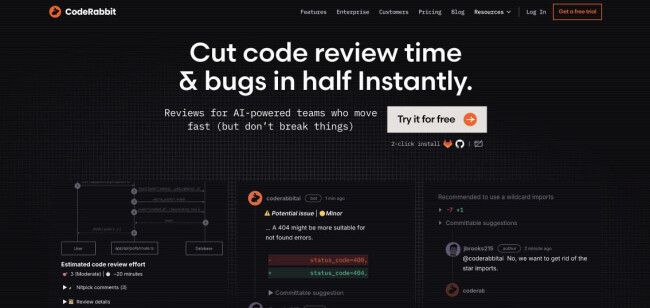
CodeRabbit AI is an automated reviewer that scans pull requests (PRs) and leaves smart, contextual comments, just like a senior dev would. It stands out as best for code reviews because it doesn’t just automate — it elevates.
It flags bugs, performance issues, and architectural risks early and helps teams ship better code without slowing down.
Pricing:
- Free (unlimited public and private repositories, summaries for all pull requests)
- Pro: $24/month
- Enterprise: Custom pricing
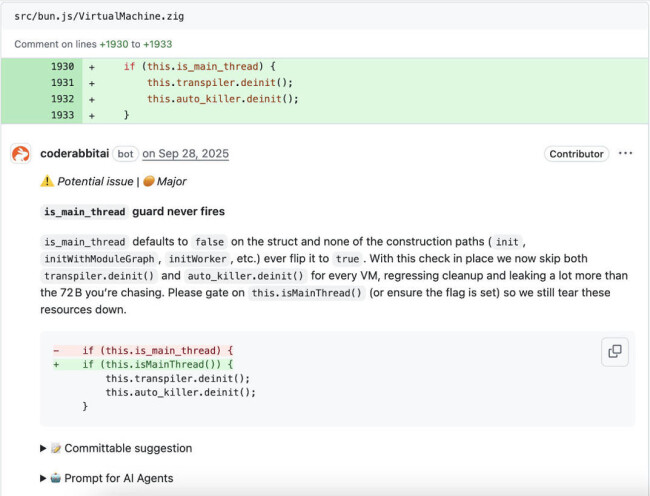
When you’re dealing with a steady stream of PRs, I find CodeRabbit AI one of the few tools that actually makes code reviews faster and better.
What I like most about it is it plugs right into GitHub or GitLab and starts reviewing code automatically. It adds comments that are surprisingly thoughtful and context-aware — not the usual surface-level AI fluff.
It supports a chat-like interface too which makes it easy to discuss suggestions directly in the PRs. That’s especially useful when you’re working across distributed teams or mentoring junior devs.
Over time, the feedback gets more tailored as well, thanks to its ability to fine-tune its behavior.
Pros:
- Smart, context-aware code comments
- Easy GitHub/GitLab integration
- Learns and adapts to your team’s style
- Great for mentoring and high PR volume
Cons:
- Suggestions can be hit-or-miss
- Too many comments at times
- Not a full replacement for human review
Notable Features
- Instant analysis of code, dependencies, and architecture
- CodeRabbit Commands + custom review instructions
- Code Graph Analysis for deeper code insights
- Security scanning via Semgrep, Checkov
- Style enforcement via ESLint, Prettier
What Users Say
While it speeds up reviews and adds helpful context, not all of CodeRabbit’s suggestions are useful. Some devs call it a bit of “mixed bag” with only about half the suggestions being truly useful.
A few folks also brought up that it can produce too many comments, including some that aren't relevant to the actual code quality.
Who’s It For?
In my view, CodeRabbit works best as a first layer of review, as it’s great for catching simple issues and keeping things moving, but not a full replacement for human review.
It’s especially useful for fast-moving teams dealing with lots of PRs or anyone working with junior developers who need feedback.
2. CodeAnt AI: Best for Auto-Fixing Code Quality and Security Issues
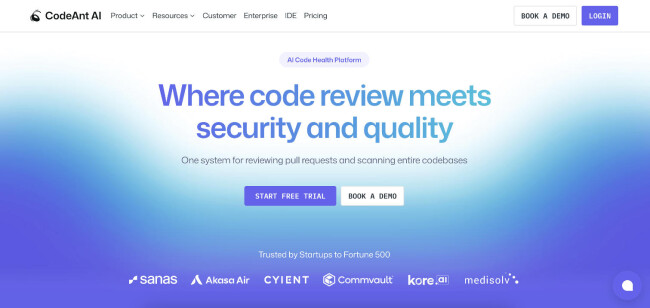
CodeAnt AI isn’t a code review tool in the traditional sense. It doesn’t leave comments on pull requests or try to mimic a human reviewer like CodeRabbit does.
Instead, it scans your entire codebase for quality and security issues, and offers automated, one-click fixes you can apply directly in your integrated development environment (IDE) or version control system.
Pricing:
- Basic (Code Review): $10/user/month
- Premium (Code Review): $24/user/month
- Premium (Code Quality): $200/10 users/month
- Premium (Code Security): $200/10 users/month
- Enterprise: Custom pricing
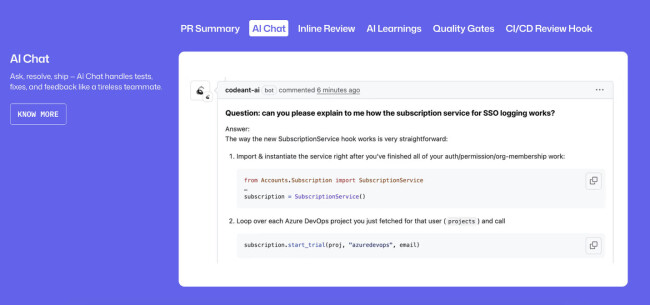
CodeAnt AI doesn't just identify problems; it actually fixes them. That saved me time on repetitive cleanup tasks and helped catch things I might have missed.
It also scans for security vulnerabilities and infrastructure misconfigurations too, which means you’re not just writing better code, you’re locking it down early.
But while it’s tempting to accept every fix it suggests, not all of them fit perfectly with how the code was originally written. I’ve noticed that some changes technically work but feel a bit out of place.
Pros:
- Fixes code issues in one click
- Catches security issues & misconfigurations early
- Works well across large or legacy databases
- Generates clear summaries
Cons:
- Occasionally flags code that’s otherwise fine
- Some fixes don’t match original code style
- Struggles with complex code
Notable Features
- GitHub, GitLab, Bitbucket, and Azure DevOps integration (cloud & self-hosted)
- Auto-generates docstrings and suggests unit tests
- SOC 2 and HIPAA compliant
- Private cloud and on-premise deployment (Enterprise tier)
What Users Say
I’ve seen feedback from teams who’ve had to go back and tweak AI-suggested edits to better match their coding style.
It also struggles a bit when the code gets more complex. For simpler issues, it’s sharp and quick. But with edge cases or custom patterns, I still find myself needing to step in manually to clean things up properly.
Who’s It For?
It’s best suited for fast-moving teams who want to clean up code and improve security without spending hours digging through each file manually. Especially useful for teams dealing with legacy codebases or juggling multiple languages across projects.
3. GitHub Copilot: Best for In-Editor AI Debugging and Code Suggestions
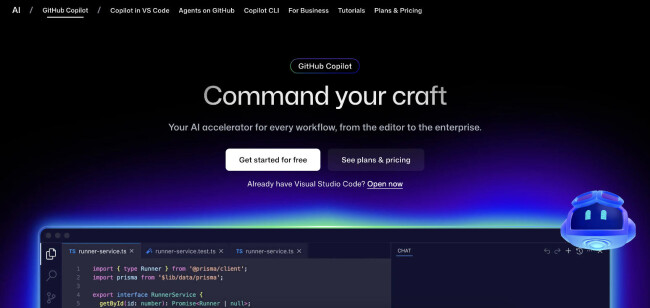
GitHub Copilot isn’t just for writing code faster; it’s surprisingly helpful when you’re trying to debug something in real time.
It runs inside your IDE and suggests context-aware code completions, fixes, and even explanations as you type.
And that’s what sets it apart: how fast it reacts to what you’re doing. It’s built for the moment you’re in the code, not after you’ve pushed it.
Pricing:
- Free (2,000 code completions, 50 chat requests/month)
- Pro: $10/month or $100/year
- Pro+: $39/month or $390/year
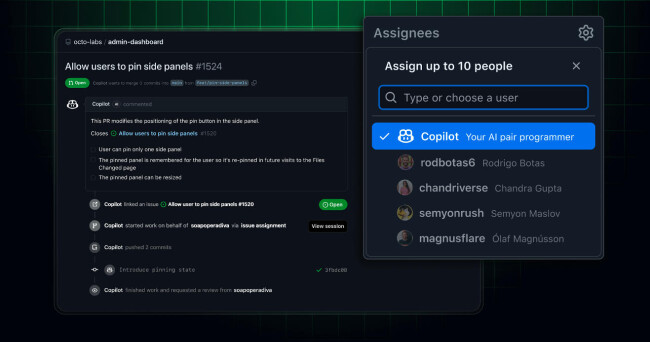
Doesn’t matter if you’re stuck on a logic bug, rewriting a broken function, or just trying to understand why something’s failing, Copilot offers suggestions on the fly, often pointing out a fix before I've even finished typing the question.
It also includes Copilot Chat, which lets you ask questions like “why is this code failing?” or “how do I fix this bug?” right inside your editor.
For debugging live issues, that kind of back-and-forth can save a ton of time, especially if you’re stuck in a solo session or grinding through legacy code.
Pros:
- Real-time suggestions as you type
- Includes in-editor chat for debugging questions
- Access to top models like GPT-4o, GPT-4.5, Claude 3.7, and more
Cons:
- Suggestions can be inaccurate or incomplete
- Struggles with large or unfamiliar codebases
- Not suitable for deep or structural debugging
Notable Features
- Works within VS Code, JetBrains, Neovim
- Supports dozens of languages and frameworks
- Code explanation, refactoring help, and test generation
- Enterprise admin tools: policy control, audit logs, user management
What Users Say
Sometimes, the suggestions look right at first glance but end up introducing small bugs or logic gaps. It’s subtle enough that you only notice after testing or digging through the code. I’ve had to spend extra time reviewing its output just to make sure it’s not silently breaking something.
And I’m not the only one — others report the same thing too.
It also struggles when you’re working in a large or unfamiliar codebase. Since it doesn’t really “know” your project structure, it tends to guess variable or function names and often gets them wrong.
Who’s It For?
GitHub Copilot is great for getting unstuck while coding, writing boilerplate, debugging smaller bugs, or just keeping momentum when you’re deep in the zone.
While it’s not built for deep debugging or code understanding, it does make day-to-day development a lot smoother, especially for quick fixes.
Overall, it's a great fit for developers who just want to stay on track with minimal input or would like an on-the-spot revision.
4. SnykCode: Best for Real-Time AI-Powered Bug Detection
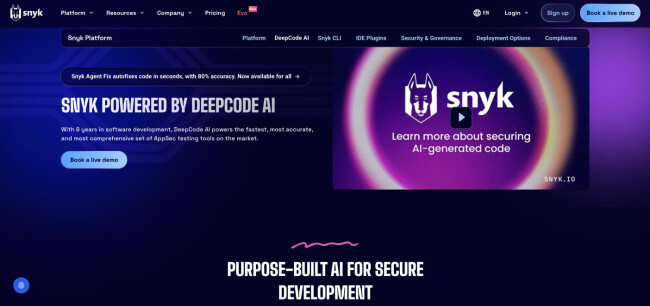
When you need something that just finds bugs fast, SnykCode (formerly DeepCode) is worth a look.
It scans your codebase in real time and flags problems as you write — things like security risks, logic flaws, or bad patterns — before they get buried in a pull request.
Unlike tools that wait until code is submitted, Snyk Code gives feedback early, which makes it easier to course-correct while you’re still thinking through the problem.
Pricing:
- Free (up to 100 tests/month)
- Team: $25/month/developer
- Ignite: $1,260/year/developer
- Enterprise: Custom pricing
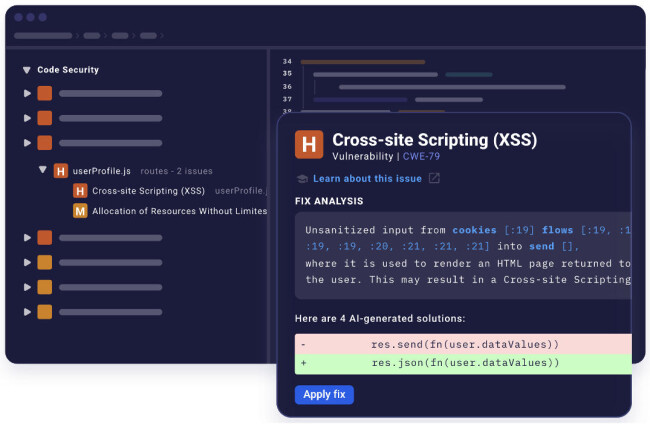
It supports multiple languages and fits right into your version control or IDE setup with barely any configuration.
I find it especially handy when dealing with large projects where issues can slip through the cracks. It’s not flashy, but it’s fast, accurate, and catches the kind of bugs that usually slow teams down.
Pros:
- Real-time bug detection while coding
- Flags logic flaws, bad patterns, and security risks
- Minimal setup; integrates with major IDEs and repos
Cons:
- Can produce false positives that need manual review
- May miss bugs that don’t match known patterns
Notable Features
- Supports popular languages like JavaScript, Python, Java, C/C++, and more
- Part of the broader Snyk platform (Open Source, IaC, etc.)
- Offers fix suggestions with issue tracking and code explanations
What Users Say
I’ve noted that it struggles with understanding the specific context of a project like intricate application programming interfaces (APIs) and overall architecture.
Some developers have observed that it can produce false positives, flagging code as problematic when it's actually functioning correctly. That means you might spend extra time reviewing alerts that turn out to be non-issues.
I’ve also seen other developers say SnykCode can have trouble tracing logic when it spreads across multiple files — like missing how data flows through a custom sanitization function. So, while it excels at catching known issues, it might miss outliers or unique problems in your code.
Who’s It For?
SnykCode is a strong pick if you want fast, real-time bug detection baked into your everyday coding workflow. It’s best for teams who want fast feedback while coding, especially when you need to catch bugs, logic errors, or security issues before they snowball into bigger problems.
Just be ready to double-check its alerts now and then.
5. Qodo AI: Best for Generating Tests and Verifying Code Behavior Automatically
When you’re trying to catch bugs before they show up in production, Qodo AI, formerly CodiumAI, is one of the few tools that actually helps on the testing side.
It automatically writes unit tests, explains what the code is doing, and checks if expected behaviors are covered all without needing you to switch tools or spend hours writing tests manually.
Pricing:
- Developer: Free
- Teams: $38/user/month
- Enterprise: Custom pricing
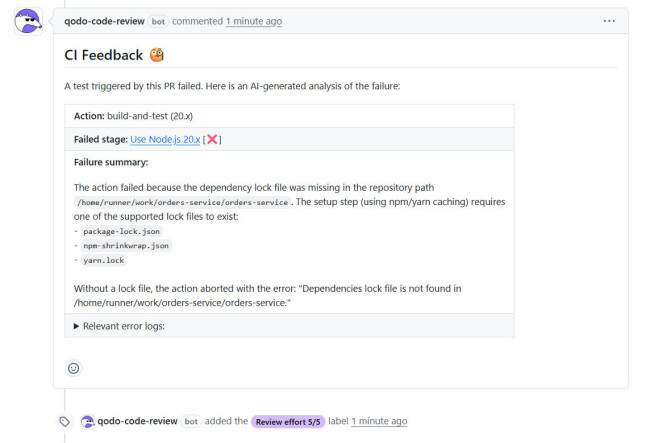
During testing, I found it doesn’t just spit out generic tests. It tries to understand what the function is actually supposed to do and then builds test cases that make sense — edge cases included.
If it spots logic that’s shaky or uncovered, it flags that too. That kind of input is especially helpful when you’re working with someone else’s code or trying to refactor legacy stuff.
Pros:
- Writes unit tests based on real code behavior
- Flags logic gaps and uncaught edge cases
- Great for testing legacy or unfamiliar code
- Automates repetitive test writing
Cons:
- Can overcomplicate test code
- Output may get bloated or break UI in dynamic setups
- Reports of unresponsive support team
Notable Features
- Auto-generates docstrings and enforces coding best practices
- Works inside your IDE (with full repo context via Qodo Gen)
- Supports multi-repo awareness (Enterprise) and custom rule enforcement
- Offers agentic mode for more complex tasks and automation flows
What Users Say
I’ve seen similar experiences from others who’ve reported that the output can get a bit bloated or break parts of the UI when used in more dynamic setups.
Support also seems like an area that could be improved. I haven’t personally needed to reach out, but I’ve seen others mention that when they ran into problems, they didn’t get much help.
One user called the experience a “complete waste of time,” saying the service ignored support requests. Not ideal for a paid tool.
Who’s It For?
Ultimately, Qodo AI is one of the best options for teams looking to automate repetitive testing tasks, especially when you're working in a time crunch or reviewing code that’s not your own.

Our team ranks agencies worldwide to help you find a qualified partner to implement the latest AI solutions. Visit our Agency Directory for the Top Web Development Companies, as well as:
- Top AI Web Design Agencies
- Top Front End Web Development Companies
- Top WordPress Development Companies
- Top No Code Agencies
- Top Web Design Companies
Our design experts also recognize the most innovative design projects across the globe. Visit our Awards section to see the best in web design.
AI Debugging Tools FAQs
1. How do AI debugging tools actually help with development?
They take a lot of the grunt work out of debugging. Instead of manually combing through your code for bugs or issues, these tools flag them for you, often while you’re still typing. That means faster fixes, fewer things slipping through, and smoother releases overall.
2. Can I use AI debugging tools with the tools I already have?
Most of them are built to fit right into your current setup. If you’re using something like VS Code or IntelliJ, tools like Snyk Code just plug in and start giving you feedback as you go — no complicated setup needed.
3. How do I know which AI debugging tool is right for me?
Think about what you actually need: Does it support your coding language? Can it run inside your IDE? Does it catch security stuff, or just code quality? Look at what fits your workflow best, and don’t forget to check pricing and support, especially if you’re working with a team.

-preview.jpg)